17
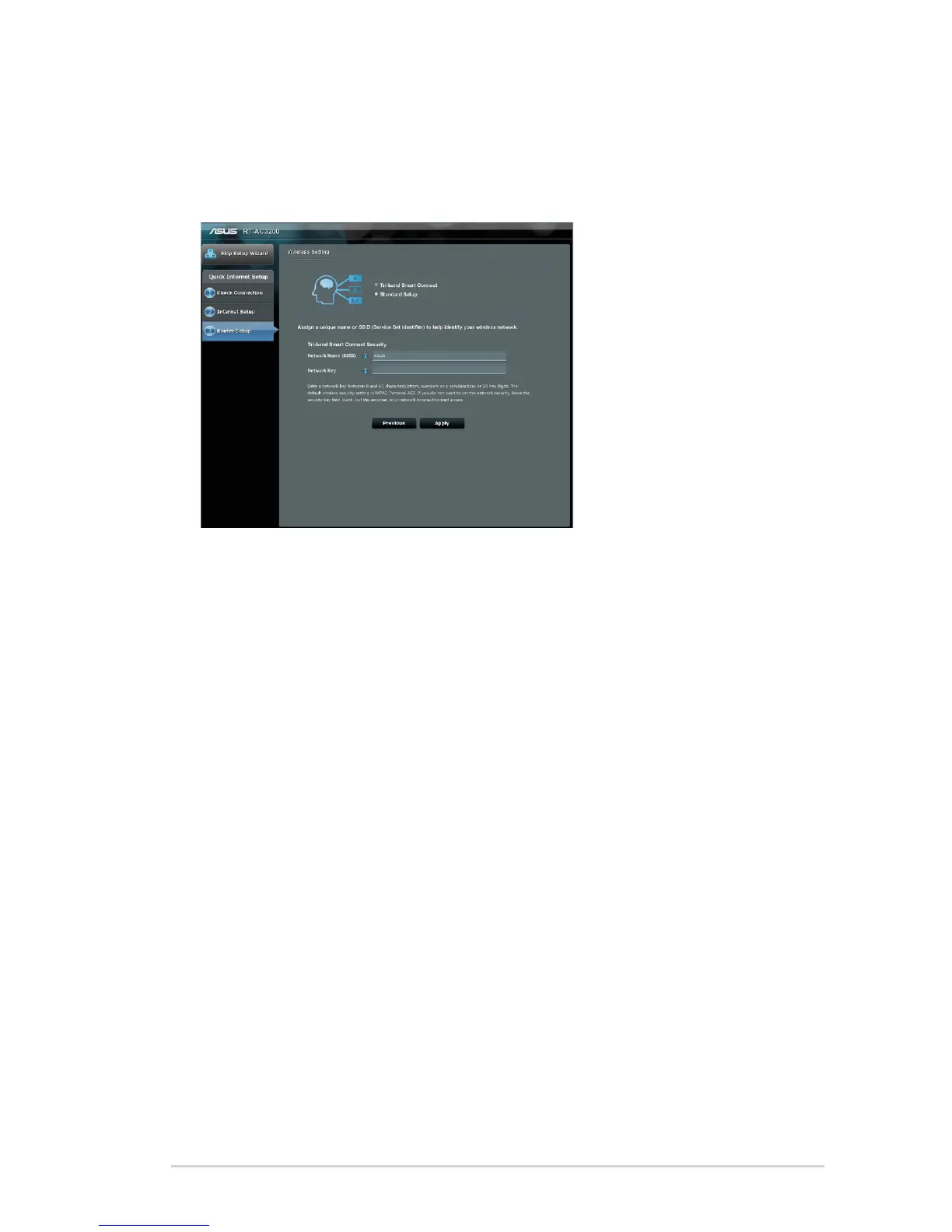
5. Click Next. Wait until your router redetects your Internet
connection type and the Smart Connect screen appears.
6. Click Next to go to the setup page.
7. Select any of these two Smart Connect options:
• Tri-band Smart Connect: Select this option if you want
to enable Smart Connect for 2.4GHz, 5GHz-1, and 5GHz-
2 frequency bands at the same time, and automatically
connect your devices in your network to the best band for
optimal speed.
• Standard Setup: Select this option if you want to set up
three bands independently. Smart Connect is disabled
under this option.
8. Assign the network name (SSID) and security key for your
selected Smart Connect wireless connection.
9. Click Apply and wait until the Smart Connect process is
completed.


 To Next Page