40
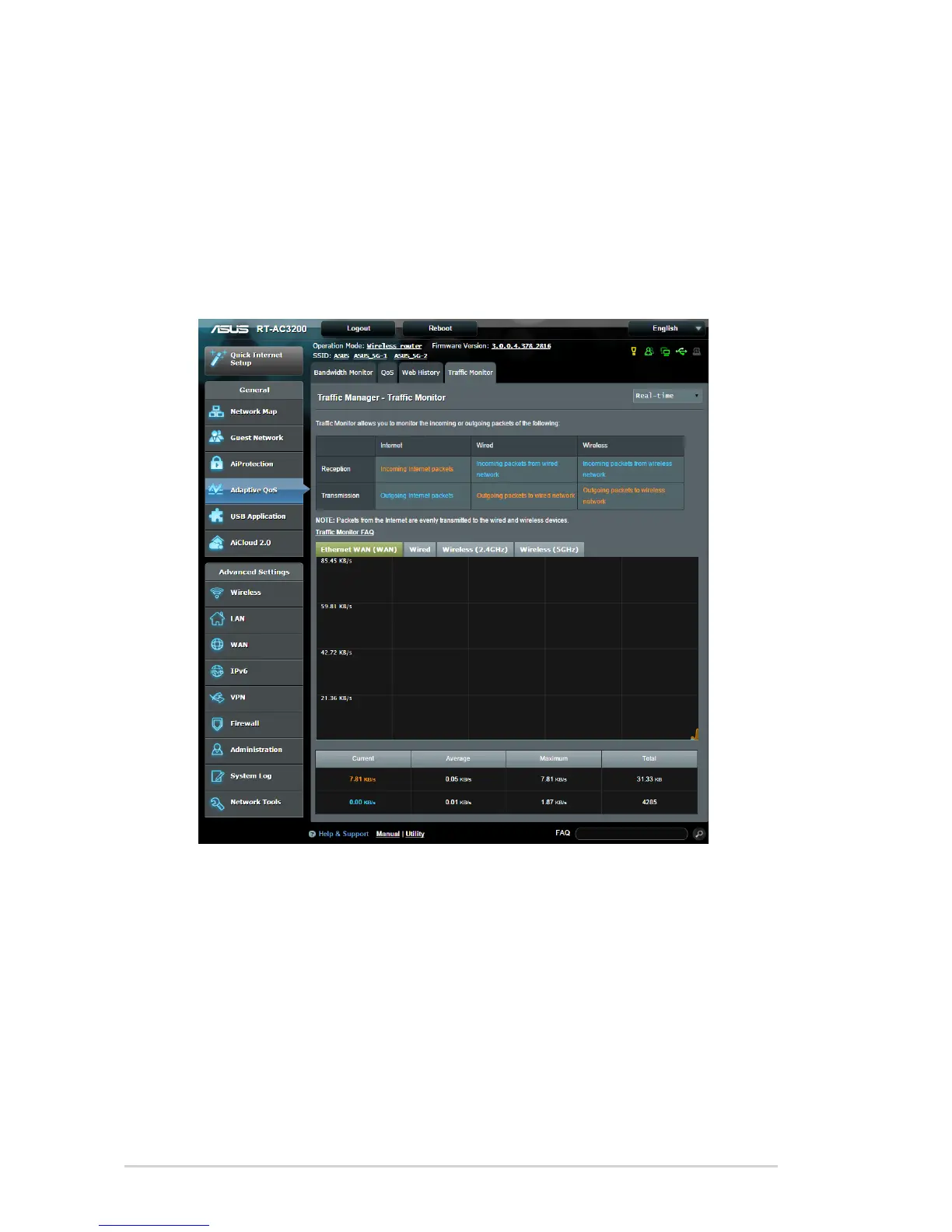
3.4.4 Traffic Monitor
The traffic monitor feature allows you to access the bandwidth
usage and speed of your Internet, wired, or wireless networks.
It allows you to monitor network traffic in real-time or on a daily
basis. It also offers an option to display the network traffic within
the last 24 hours.
To configure Traffic Monitor:
1. From the navigation panel, go to General > Adaptive QoS>
Traffic Monitor tab.
2. (Optional) From the Traffic Manager - Traffic Monitor pane,
select an option (Real-Time, Last 24 Hours, or Daily) from
the drop down list box.


 To Next Page