10
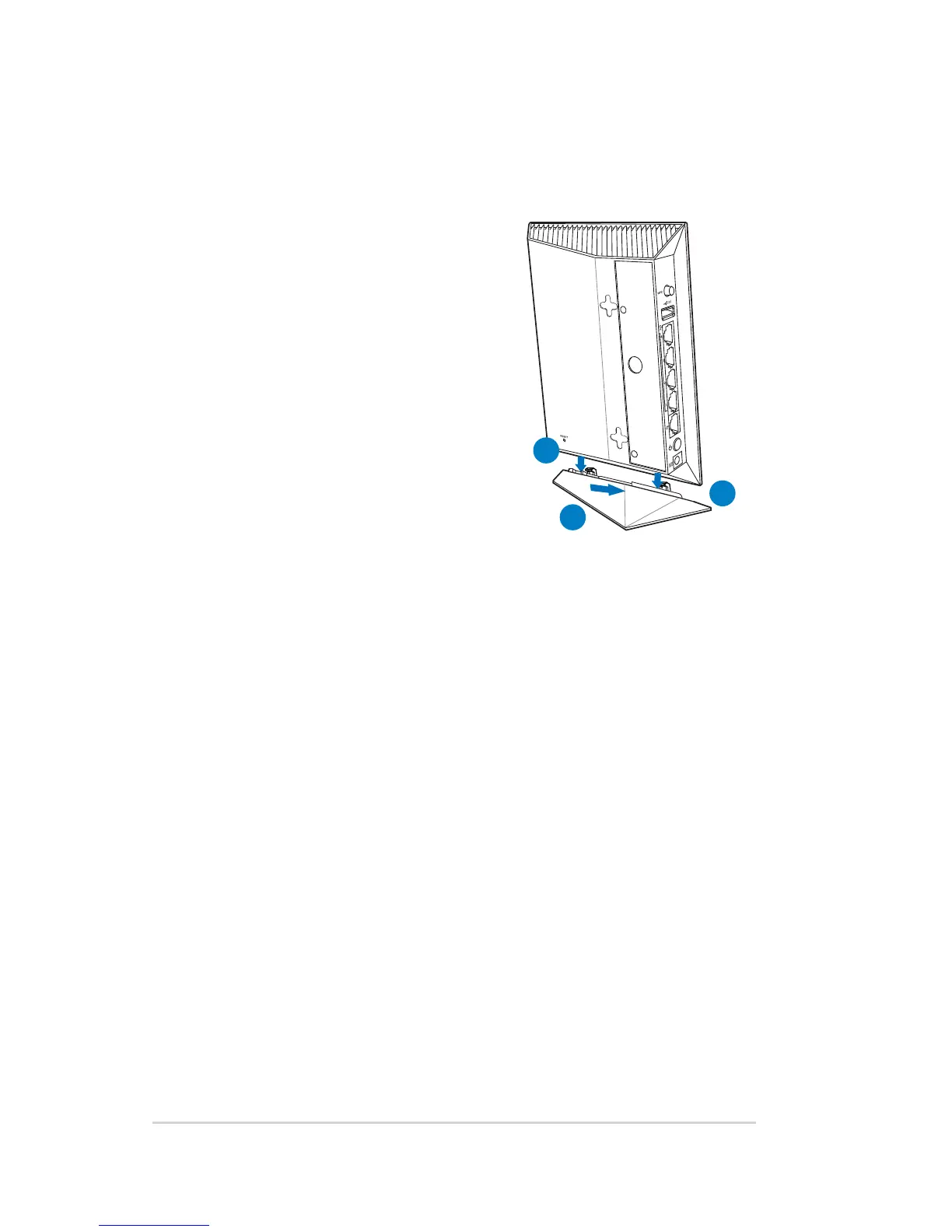
Mounting placement
To mount the wireless router onto
its stand:
1. Locate the two mounting holes
at the bottom of the wireless
router.
2. Latch the stand’s two mounting
hooks to the wireless router’s
mounting holes.
3. Slide the wireless router towards
direction of the arrow to secure
it to its stand.
2
2
3



 To Next Page