17
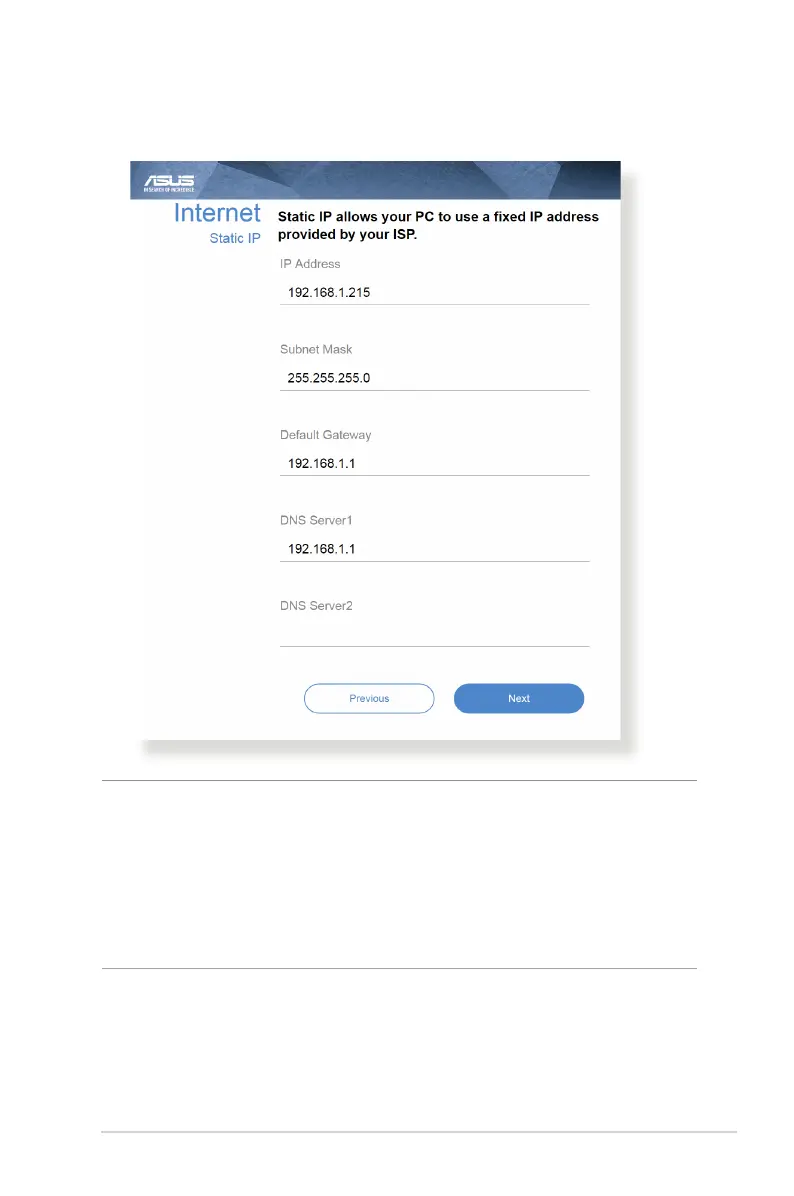
for Static IP
NOTES:
• Theauto-detectionofyourISPconnectiontypetakesplacewhen
you congure the wireless router for the rst time or when your
wireless router is reset to its default settings.
• IfQISfailedtodetectyourInternetconnectiontype,clickSkip to
manual setting and manually congure your connection settings.
3. Assign the wireless network name (SSID) and security key for
your 2.4GHz and 5 GHz wireless connection. Click Apply when
done.



 To Next Page