86
4.6 Administration
4.6.1 Operation Mode
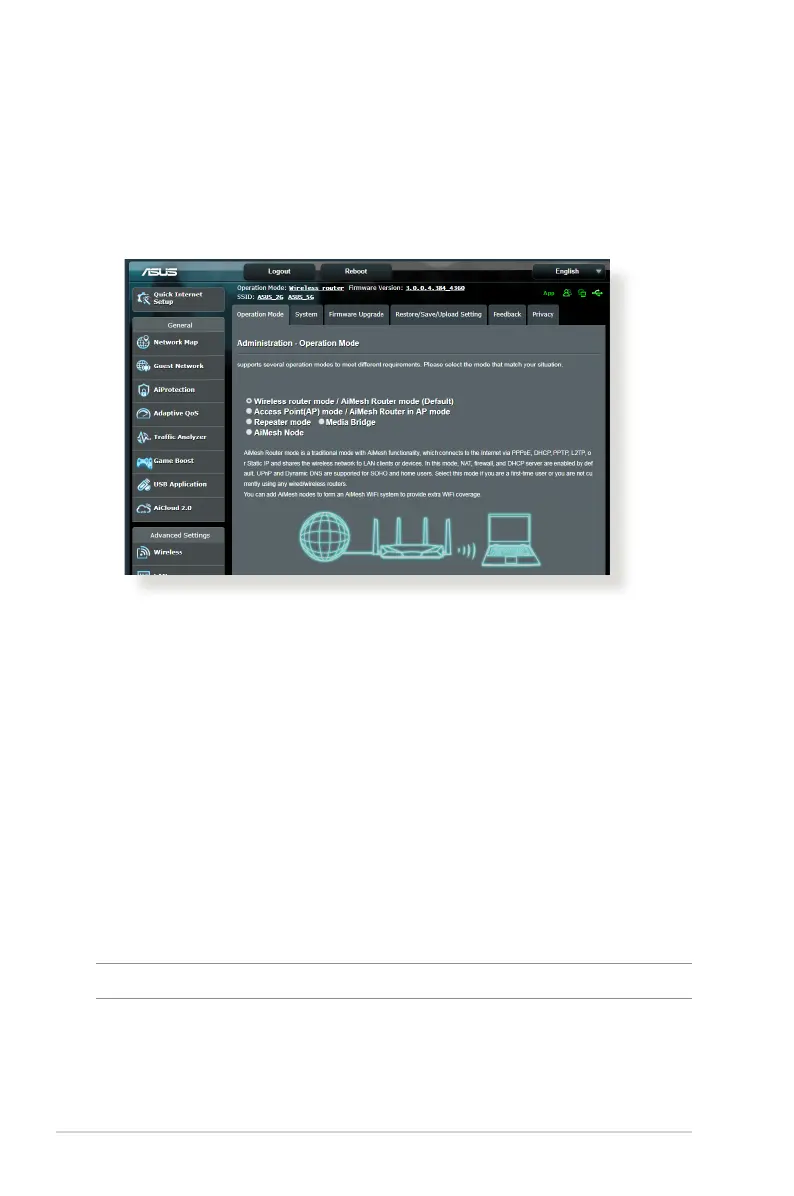
The Operation Mode page allows you to select the appropriate
mode for your network.
To set up the operating mode:
1. From the navigation panel, go to Advanced Settings >
Administration > Operation Mode tab.
2. Select any of these operation modes:
• Wireless router mode (default): In wireless router mode,
the wireless router connects to the Internet and provides
Internet access to available devices on its own local network.
• Repeater mode: This mode turns the router into a wireless
repeater to extend the range of your signal.
• Access Point mode: In this mode, the router creates a new
wireless network on an exising network.
3. Click Save.
NOTE: The router will reboot when you change the modes.



 To Next Page