50
3.7.1 Cloud Disk
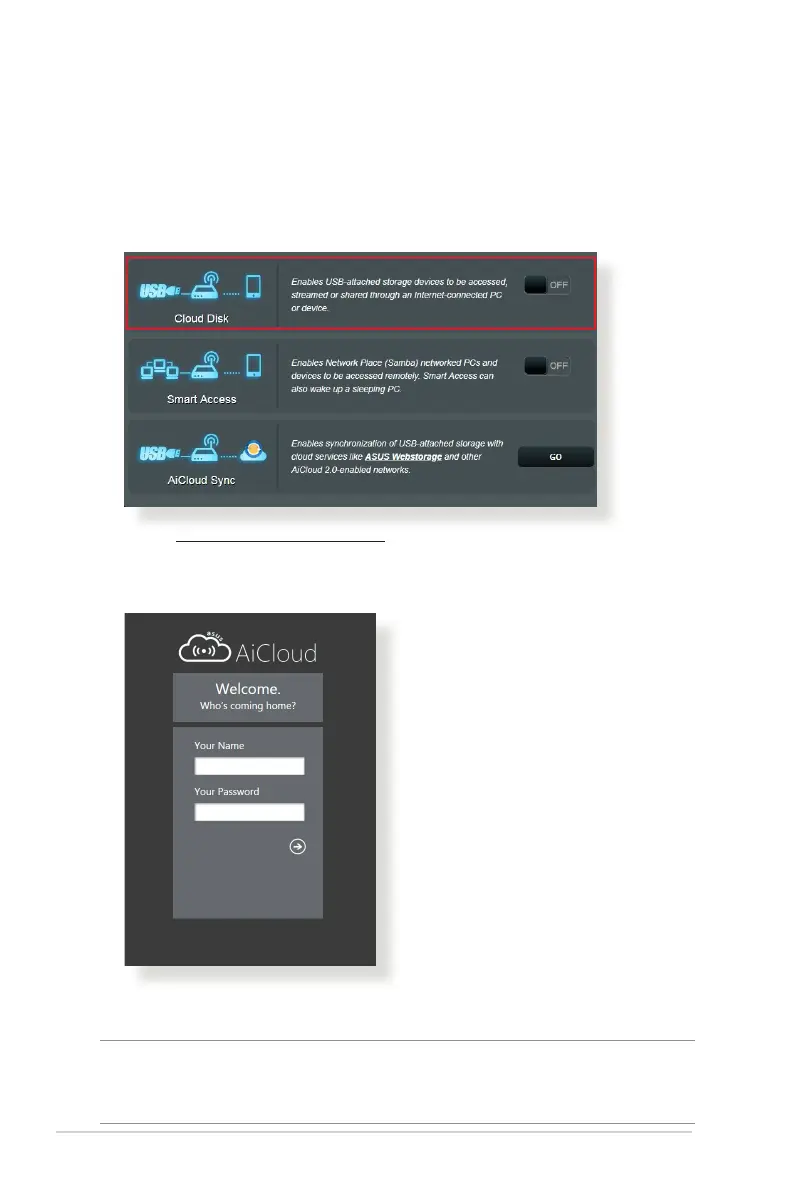
To create a cloud disk:
1. Insert a USB storage device into the wireless router.
2. Turn on Cloud Disk.
3. Go to https://router.asus.com and enter the router login
account and password. For better user experience, we
recommend that you use Google Chrome or Firefox.
4. You can now start accessing Cloud Disk les on devices
connected to the network.
NOTE: When accessing the devices that are connected to the network,
you need to enter the device’s user name and password manually, which
will not be saved by AiCloud 2.0 for security reason.



 To Next Page