21
3.2 Create a Guest Network
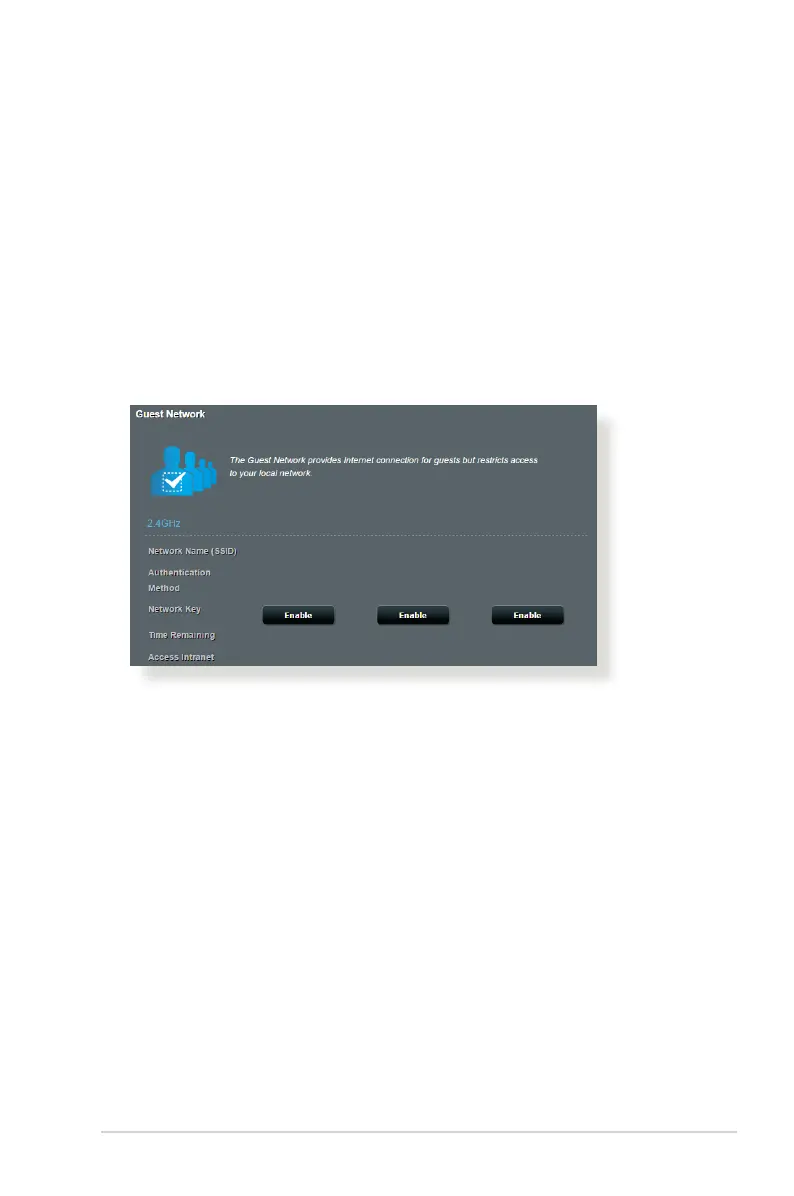
The Guest Network provides temporary visitors with Internet
connectivity via access to separate SSIDs or networks without
providing access to your private network.
To create a guest network:
1. From the navigation panel, go to General > Guest Network.
2. Click Enable.
3. Assign a wireless name (SSID) for your temporary network,
select an authentication method and finish other settings.
When done, click Apply.


 To Next Page