English
9
Using Your Keyboard
Driver Installation
To install the driver:
1. Connect the Strix Tactic Pro keyboard to your computer.
2. Insert the installation CD into your computer’s optical drive.
3. Locate and run the installer from the installation CD.
4. Follow the onscreen instructions to finish the installation.
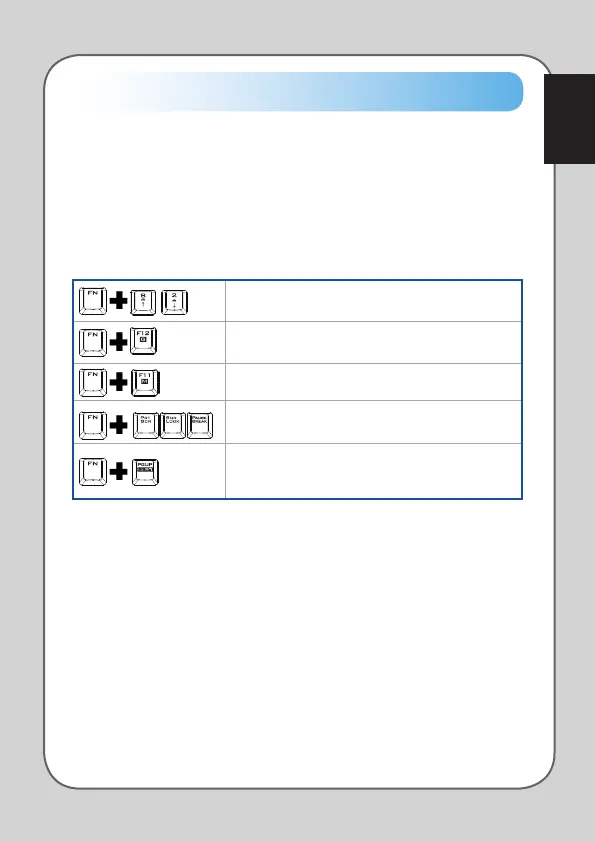
Special hotkeys
Adjusts the LED brightness of your keyboard.
Disables the Windows® key to prevent accidental
usage during gaming sessions.
Switches F1 ~ F8 keys into macro keys.
Profile 1 Profile 2 Profile 3
Fn key combined with any of these keys allow you to
quickly switch between your customized profiles.
Profile 1 Profile 2 Profile 3
Allows you to turn on the extreme NKRO anti-ghosting
feature, which allows any keys to be registered
simultaneously.


 To Next Page