20
Notebook PC E-Manual
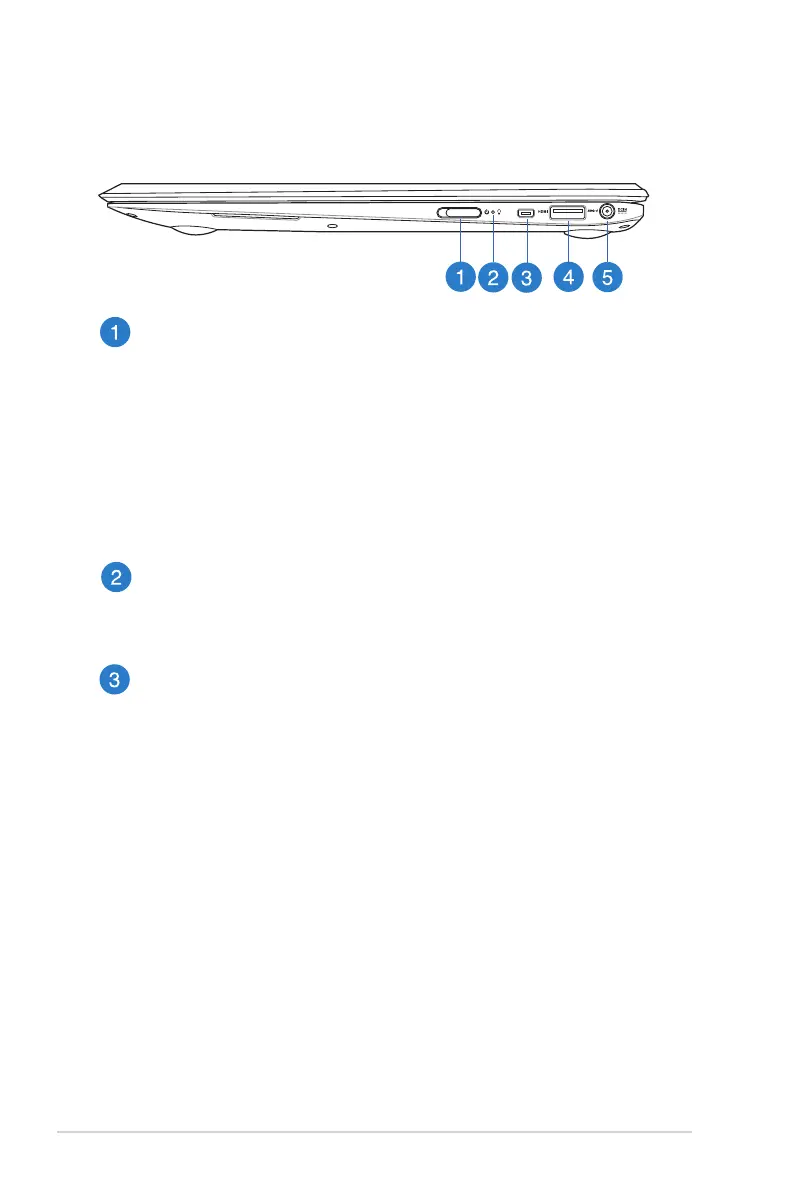
Right Side
Power switch
Move the power switch to the left to turn your Notebook PC on
or o. You can also use the power switch to put your Notebook
PC to sleep or hibernate mode and wake it up from sleep or
hibernate mode.
In the event that your Notebook PC becomes unresponsive,
move the power switch to the left and hold it for about four (4)
seconds until your Notebook PC shuts down.
Power indicator
The power indicator lights up when the Notebook PC is turned
on and blinks slowly when the Notebook PC is in sleep mode.
Micro HDMI port
This port is for a micro High-Denition Multimedia Interface
(HDMI) connector and is HDCP compliant for HD DVD, Blu-ray
and other protected content playback.



 To Next Page