24
Notebook PC E-Manual
Getting started
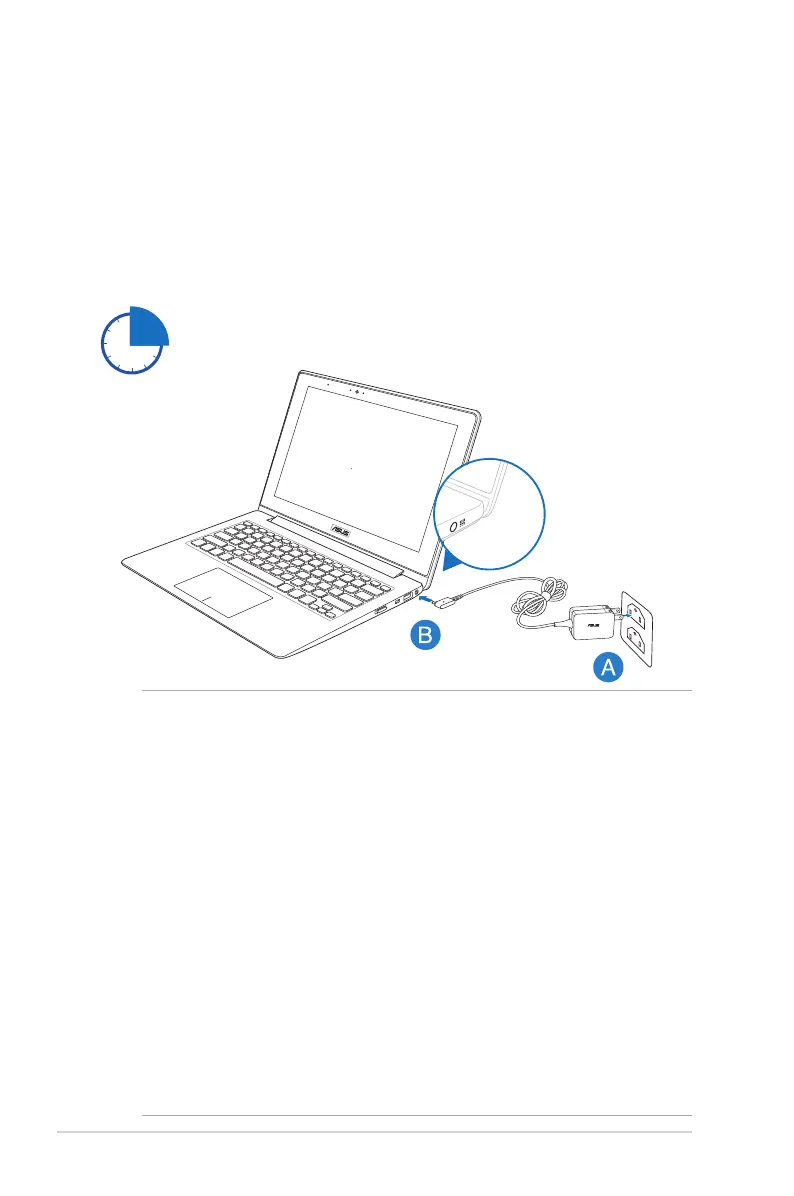
Charge your Notebook PC.
A. Plug the AC power adapter into a 100V~240V power source.
B. Connect the DC power connector into your Notebook PC’s
power (DC) input.
IMPORTANT!
• Ensure that your Notebook PC is connected to the power adapter
before turning it on for the rst time.
• Locate the input/output rating label on your Notebook PC and
ensure that it matches the input/output rating information on
your power adapter.
• When using your Notebook PC on power adapter mode, the
socket outlet must be near to the unit and easily accessible.
• Power adapter information:
- Input voltage: 100-240Vac
- Input frequency: 50-60Hz
- Rating output current: 2.37A
- Rating output voltage: 19V
Charge the Notebook PC for 3 hours before using it in
battery mode for the rst time.



 To Next Page