1
2
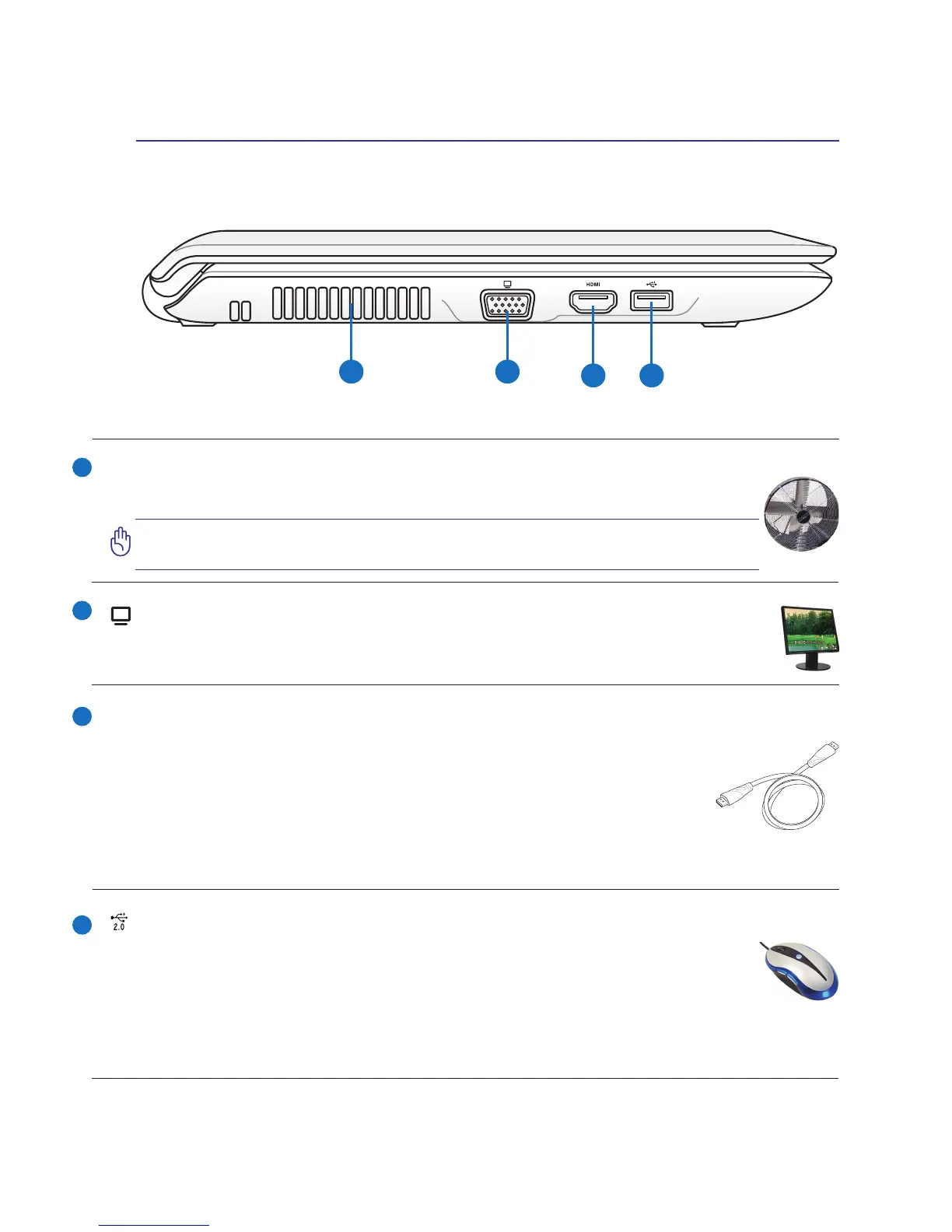
USB Port (2.0/1.1)
The USB (Universal Serial Bus) port is compatible with USB 2.0 or USB 1.1 devices such
as keyboards, pointing devices, cameras, hard disk drives, printers, and scanners connected
in a series up to 12Mbits/sec (USB 1.1) and 480Mbits/sec (USB 2.0). USB allows many
devices to run simultaneously on a single computer, with some peripherals acting as additional plug-in
sites or hubs. USB supports hot-swapping of devices so that most peripherals can be connected or
disconnected without restarting the computer.
Air Vents
The air vents allow cool air to enter and warm air to exit the Notebook PC.
IMPORTANT! Ensure that paper, books, clothing, cables, or other objects
do not block any of the air vents or else overheating may occur.
3
4
Knowing the Parts 2
HDMI Port
HDMI (High-Denition Multimedia Interface) is an uncompressed all-digital
audio/video interface between any audio/video source, such as a set-top box, DVD
player, and A/V receiver and an audio and/or video monitor, such as a digital tel-
evision (DTV). Supports standard, enhanced, or high-denition video, plus multi-
channel digital audio on a single cable. It transmits all ATSC HDTV standards and
supports 8-channel digital audio, with bandwidth to spare to accommodate future
enhancements or requirements.
HDMI
Display (Monitor) Output
The 15-pin D-sub monitor port supports a standard VGA-compatible device such as a moni-
tor or projector to allow viewing on a larger external display.


 To Next Page