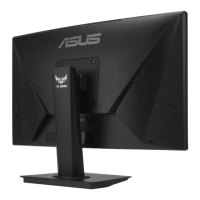
Need help?
Do you have a question about the Asus VG246 Series and is the answer not in the manual?
Details FCC compliance rules for device operation and interference.
Outlines compliance with Canadian radio noise emission regulations.
Covers essential safety guidelines for monitor setup, usage, and electrical safety.
Lists all items included in the monitor package for user verification.
Step-by-step instructions for attaching the monitor base and adjusting the display angle.
Guides users on connecting various cables to the rear ports of the LCD monitor.
Lists detailed technical specifications for the VG246H monitor model.
Offers solutions for common issues like power, screen display, image quality, and sound problems.
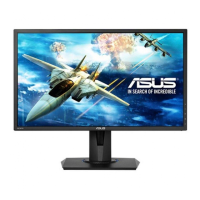
The ASUS VG246 Series LCD Monitor is a widescreen display designed to enhance your viewing and gaming experience. It offers a crisp, broader, and brighter display with a host of features for optimal performance and user convenience.
The VG246 Series LCD Monitor serves as a visual output device for computers and other compatible sources. It supports various input signals, including VGA and HDMI, allowing for versatile connectivity. The monitor incorporates ASUS's GameVisual™ Video Intelligence Technology, offering seven preset display modes optimized for different content types such as scenery, racing games, cinema, RTS/RPG games, FPS games, sRGB for photos/graphics, and MOBA games. This intelligent technology automatically adjusts display parameters like color saturation, sharpness, and contrast to provide the best visual experience for each scenario.
A key feature for user comfort is the Blue Light Filter, which allows adjustment of the blue light energy emitted from the LED backlight across four levels. Level 0 provides no change, while Levels 1-4 progressively reduce blue light, with Level 4 being an optimized setting compliant with TUV Low Blue Light Certification. This feature aims to alleviate eye strain and dryness, especially during prolonged use.
For gamers, the monitor includes the GamePlus Function, a toolkit designed to create a better gaming environment. This includes a Crosshair function for improved aiming in First Person Shooter (FPS) games, a Timer to track in-game time, an FPS Counter to display the current frame rate, and a Display Alignment tool for multi-monitor setups.
The monitor also offers extensive color adjustment options, including Brightness, Contrast, Saturation, Color Temp. (Cool, Normal, Warm, User Mode), and Skin Tone (Reddish, Natural, Yellowish). Image adjustments such as Sharpness, Trace Free (response time acceleration), Aspect Control (Full, 4:3), VividPixel (for crystal-clear visuals), ASCR (dynamic contrast ratio), AMD FreeSync (dynamic refresh rate adjustment for stutter-free gaming), and ELMB (Extreme Low Motion Blur) are available to fine-tune the display. For VGA input, additional adjustments like Position, Focus, and Auto Adjust are provided.
Audio capabilities include an Earphone-out Port and sound output from HDMI, with adjustable volume and mute functions. The monitor also features a Kensington Lock for security.
The monitor supports a wide range of PC primary timings, MAC modes, VESA modes, and SD/HD timings via HDMI 1.4, including various resolutions and refresh rates up to 1920x1080 at 75Hz.
The monitor is designed for ease of use with intuitive controls located on the back. A multi-directional control button allows navigation through the On-Screen Display (OSD) menu. Dedicated shortcut keys provide quick access to frequently used functions like GameVisual and Blue Light Filter, which can also be customized to other settings such as Brightness, Contrast, Color Temp., Volume, Auto Adjust, or QuickFit.
The QuickFit function offers three patterns: Grid, Paper size (B5, Letter), and Photo size (8x10, 5x7, 4x6, 3x5, 2x2), which are useful for designers, photographers, and users who need to organize content or view documents/photos in real size on the screen.
The monitor stand allows for ergonomic adjustments, including tilt from +23° to -5°, swivel adjustment of 62° left or right, and height adjustment within +/- 15cm, ensuring a comfortable viewing angle for various users. For VESA wall mounting, the arm/stand can be detached, requiring a UL Listed Wall Mount Bracket (100x100mm) with a minimum weight/load of 12 kg.
Safety information emphasizes proper setup, handling, and power usage. Users are advised to connect the power cord to a grounded outlet and avoid disabling the grounding pin.
Routine maintenance involves cleaning the monitor surface with a lint-free, non-abrasive cloth after turning it off and unplugging the power cord. Mild cleaner can be used for stubborn stains, but alcohol or acetone-based cleaners should be avoided. Never spray cleaner directly on the screen.
The manual outlines troubleshooting steps for common issues such as the power LED not turning on, no screen image, image quality problems (too light/dark, bouncing, color defects), and sound issues. These steps often involve checking cable connections, adjusting OSD settings, or connecting to another computer to isolate the problem. Users are advised not to attempt repairs themselves and to contact their dealer or service center if issues persist.
The monitor is designed with ventilation slots to prevent overheating, and users are cautioned not to block these openings or place the product near heat sources. It is also recommended to unplug the unit during lightning storms or extended periods of disuse to protect against power surges.

 To Next Page
 General