EasyManua.ls Logo

Asus VG24V Series - User Manual

Asus VG24V Series
26 pages
Print Icon
To Next Page IconTo Next Page
Loading...
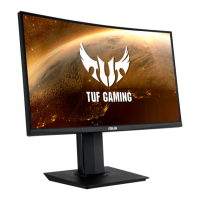
VG24V Series
LCD Monitor
User Guide
Questo manuale d’istruzione è fornito da trovaprezzi.it. Scopri tutte le offerte per Asus VG24VQ o
cerca il tuo prodotto tra le migliori offerte di Monitor LCD
Question and Answer IconNeed help?

Do you have a question about the Asus VG24V Series and is the answer not in the manual?

Summary

Safety Information

Care & Cleaning

Chapter 1: Product Introduction

Assembling the monitor

Step-by-step instructions on how to assemble the monitor stand and base.

Connect cables

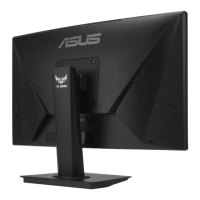
Details on connecting various cables to the monitor, including port identification.

Chapter 2: Setup

Adjusting the monitor

Instructions on how to adjust the monitor's angle, swivel, and height for optimal viewing comfort.

Detaching the arm;stand (for VESA wall mount)

Steps to remove the monitor stand for VESA wall mount installation, including required kit details.

Chapter 3: General Instruction

OSD (On-Screen Display) menu

Overview of the On-Screen Display menu and how to navigate its options.

How to reconfigure

Step-by-step guide on how to navigate and change settings within the OSD menu.

Specifications

Troubleshooting (FAQ)

Supported Timing List

Summary

Safety Information

Care & Cleaning

Chapter 1: Product Introduction

Assembling the monitor

Step-by-step instructions on how to assemble the monitor stand and base.

Connect cables

Details on connecting various cables to the monitor, including port identification.

Chapter 2: Setup

Adjusting the monitor

Instructions on how to adjust the monitor's angle, swivel, and height for optimal viewing comfort.

Detaching the arm;stand (for VESA wall mount)

Steps to remove the monitor stand for VESA wall mount installation, including required kit details.

Chapter 3: General Instruction

OSD (On-Screen Display) menu

Overview of the On-Screen Display menu and how to navigate its options.

How to reconfigure

Step-by-step guide on how to navigate and change settings within the OSD menu.

Specifications

Troubleshooting (FAQ)

Supported Timing List

Asus VG24V Series Specifications

General IconGeneral
Resolution1920 x 1080 (Full HD)
Panel TypeVA
Curvature1500R
Adaptive SyncAMD FreeSync Premium
Aspect Ratio16:9
VESA Mount100 x 100 mm
Response Time1ms MPRT
Ports1x DisplayPort 1.2, 2x HDMI 1.4
Contrast Ratio3000:1
Viewing Angle178° (H) / 178° (V)
Color Support16.7 million colors

Related product manuals