Need help?
Do you have a question about the Asus VG28UQL1A Series and is the answer not in the manual?
FCC compliance statement for Class B digital device.
Canadian compliance statement for Class B digital apparatus.
Provides updated information on ASUS hardware and software.
Additional documents that may be included by the dealer.
Welcome message and overview of monitor features.
Lists items included in the package.
Instructions for assembling the monitor stand.
Guide for connecting cables to the monitor ports.
Overview of monitor controls and functions.
Instructions on how to adjust the monitor's angle and height.
Steps to detach the monitor stand for VESA wall mounting.
Technical dimensions of the monitor in millimeters.
Introduction to the On-Screen Display menu navigation.
Technical specifications of the VG28UQL1A LCD monitor.
Common problems and their solutions for the monitor.
List of supported display timings for different input signals.
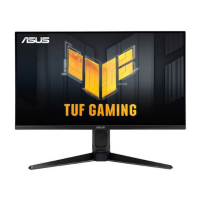
This document is a user guide for the ASUS VG28UQL1A Series LCD Monitor, providing comprehensive instructions for its setup, operation, and maintenance. The monitor is designed to offer a crisp, broader, and brighter display, enhancing the user's viewing experience with a host of features.
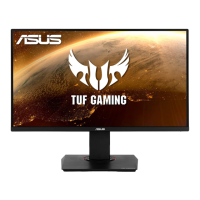
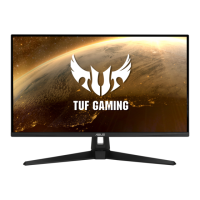
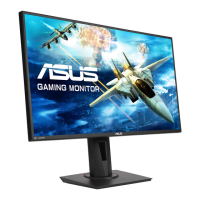
The ASUS VG28UQL1A is an LCD monitor primarily designed for visual display. It connects to a computer or other video sources via various input ports to project images and video. The monitor incorporates several advanced technologies to optimize visual performance and user comfort. It features an On-Screen Display (OSD) menu, which allows users to adjust a wide range of image settings, including brightness, contrast, color temperature, and gamma. The monitor also supports High Dynamic Range (HDR) with multiple modes, enhancing the visual depth and detail of content.
For gaming enthusiasts, the monitor includes specific gaming-centric functions under its "Gaming" menu. These include Overclocking to adjust the refresh rate, Variable OD (Over Drive) technology to speed up response time, and FreeSync Premium Pro for a stutter-free and low-latency display experience with compatible graphics sources. The ELMB/ELMB SYNC (Extreme Low Motion Blur) feature is designed to eliminate screen tearing, reduce ghosting, and minimize motion blur during fast-paced gaming. Additionally, the GamePlus function provides in-game enhancements such as Crosshair, Timer, FPS Counter, Display Alignment, and Sniper mode, catering to different gaming needs. The Shadow Boost feature is also included to enhance dark tones in images, making objects in dark scenes more visible.
The monitor is equipped with multiple input options, including HDMI and DisplayPort, allowing connectivity to various devices. It also features a USB Hub for connecting peripherals and an earphone-out port for audio output. The PIP/PBP (Picture-in-Picture/Picture-by-Picture) Setup function enables the display of content from multiple video sources simultaneously, offering flexibility for multitasking or comparing different inputs.
The ASUS VG28UQL1A monitor is designed for ease of use and ergonomic comfort. Its physical design allows for significant adjustability to suit individual preferences. Users can adjust the monitor's angle from +20° to -5° (tilt), swivel it 15° left or right, and adjust its height within a 12cm range. The monitor also supports a 90° pivot adjustment, allowing for portrait mode viewing. These ergonomic adjustments help users find the most comfortable viewing position, reducing strain during prolonged use.
The OSD menu is accessed via a 5-way control button located at the bottom of the monitor, providing an intuitive interface for navigating and adjusting settings. Hotkeys are available for quick access to frequently used functions like GameVisual modes and GamePlus. GameVisual offers eight preset video modes (Scenery, Racing, Cinema, RTS/RPG, FPS, sRGB, MOBA, and User Mode) optimized for different content types, leveraging ASUS's Video Intelligence Technology.
The monitor incorporates a Blue Light Filter, which can be adjusted across four levels to reduce harmful blue light emissions, thereby alleviating eye strain and preventing potential eye-related issues like Age-Related Macular Degeneration (AMD) and Computer Vision Syndrome (CVS). The monitor also includes an ECO Mode for power saving, contributing to energy efficiency.
For audio, the monitor has built-in stereo speakers and an earphone output. The sound volume can be adjusted through the OSD menu. The USB Hub offers convenient connectivity for various USB devices. The Power Indicator light provides visual feedback on the monitor's power status (ON, Standby, OFF). Key Lock and Power Key Lock functions are available to prevent accidental changes to settings or power status.
The MyFavorite function allows users to customize shortcuts and save preferred settings, making it easier to switch between different configurations. The System Setup menu provides options for language selection, OSD timeout, DDC/CI, transparency, DisplayPort Stream version, DSC (Display Stream Compression) on/off, and access to monitor information. An "All Reset" option is available to revert all settings to factory defaults.
The user guide emphasizes several maintenance and safety guidelines to ensure the longevity and proper functioning of the monitor. Before any repositioning or cleaning, users are advised to disconnect all cables and the power cord. When lifting or carrying the monitor, it is important to grasp the edges and avoid lifting it by the stand or cord.
For cleaning, the monitor surface should be wiped with a lint-free, non-abrasive cloth after turning it off and unplugging it. Mild cleaner can be used for stubborn stains, but cleaners containing alcohol or acetone should be avoided. Users are warned against spraying cleaner directly on the screen to prevent liquid from dripping inside and causing electric shock.
The manual also outlines normal symptoms that do not indicate a fault, such as initial screen flickering due to fluorescent light (which can be resolved by turning the monitor off and on), slightly uneven brightness depending on the desktop pattern, and afterimages from static displays (which typically recover over time or by turning off the monitor for several hours). In case of persistent issues like a black or flashing screen, or complete malfunction, users are instructed to contact their dealer or service center and explicitly warned against attempting self-repair.
Safety information includes warnings against exposing the monitor to rain or moisture, opening the cabinet due to high voltages, and attempting to fix a broken power supply independently. Proper ventilation is crucial, and users are advised not to block the ventilation slots or place the product near heat sources. The monitor should be operated only from the specified power source, and the appropriate power plug should be used. Overloading power strips and extension cords is discouraged to prevent fire or electric shock. The monitor should be protected from dust, humidity, and extreme temperatures, and placed on a stable surface. Unplugging the unit during lightning storms or extended periods of disuse is recommended to prevent damage from power surges.
The guide also provides advice on alleviating eye strain, recommending short breaks during long working hours, focusing on distant objects periodically, and performing eye exercises. It highlights the importance of the Blue Light Filter in reducing harmful blue light. The monitor is designed to comply with various international safety and environmental standards, including FCC, Canadian Department of Communications, EU Directives (EMC, Low-voltage, ErP, RoHS), and India's E-Waste (Management) Rules, ensuring safe and environmentally responsible operation. Disposal instructions for waste equipment in the European Union are also provided, emphasizing separate collection for recycling.
 General
| Screen Size | 28 inches |
|---|---|
| Resolution | 3840 x 2160 (4K UHD) |
| Panel Type | IPS |
| Refresh Rate | 144Hz |
| Response Time | 1ms (GTG) |
| Aspect Ratio | 16:9 |
| Color Gamut | 90% DCI-P3 |
| Contrast Ratio | 1000:1 |
| Viewing Angle | 178°/178° |
| VESA Mount | 100 x 100 mm |
| Adaptive Sync | NVIDIA G-SYNC Compatible, AMD FreeSync Premium |
| Ports | 2 x HDMI 2.1, 1 x DisplayPort 1.4, 2 x USB 3.0 |
| Brightness | 300 cd/m² |
| Weight | 7.6 kg (without stand) |

 To Next Page