3-5ASUS VX24A/VX249 LCD Monitor
: there are 21 languages for your selection, including English,
French, German, Italian, Spanish, Dutch, Portuguese, Russian, Czech,
Croatian, Polish, Romanian, Hungarian, Turkish, Simplied Chinese,
Traditional Chinese, Japanese, Korean, Thai, Indonesia, Persian.
: enables the key lock function. A long press for 5 seconds on the
MENU Button disables the key lock function.
: shows the monitor information.
: to disable / enable power key.
: “Yes” allows you to restore the default settings
VX24x
Standard Mode VGA 1920 x 1080 @ 60Hz
Shortcut 1
Shortcut 2
Splendid
Blue Light Filter
Color
Image
Sound
Input Select
System Setup
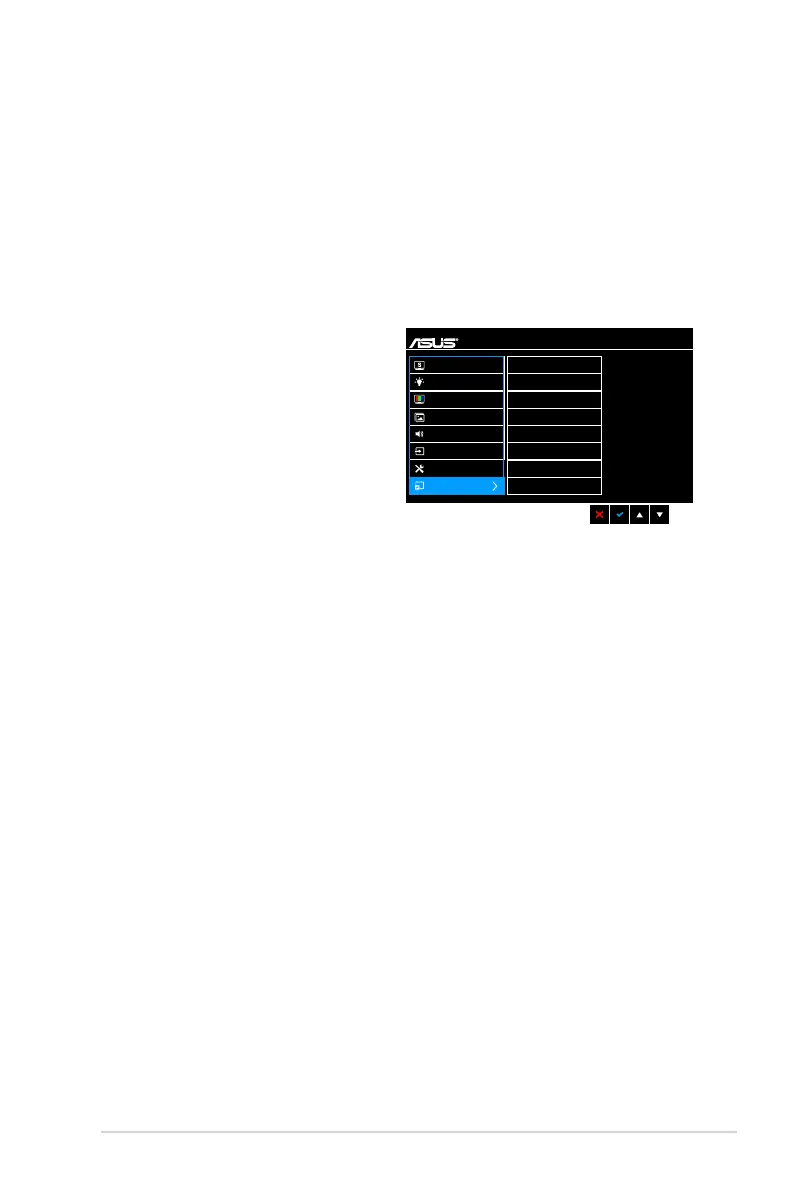
Shortcut
Defines the functions for Shortcut
1 and 2 buttons.
: selects
a function for Shortcut 1 and 2
buttons.



 To Next Page