36
Notebook PC E-Manual
Using the keyboard
HotKeys
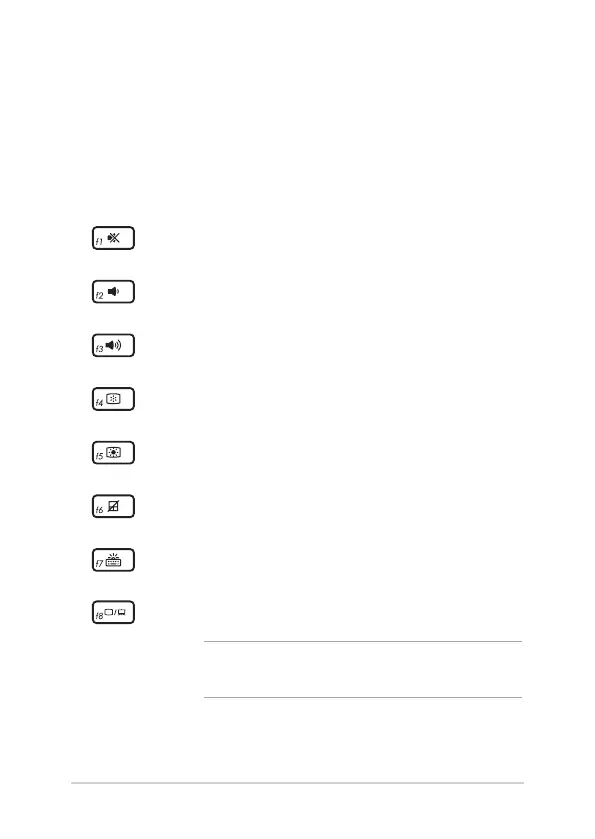
The HotKeys on your Notebook PC’s keyboard can trigger the following
commands:
Turns the speaker on or o
Turns the speaker volume down
Turns the speaker volume up
Decreases display brightness
Increases display brightness
Enables or disables the touchpad
Adjusts brightness for the backlit keyboard
Toggles the display mode
NOTE: Ensure that the second display is connected to
your Notebook PC.



 To Next Page