Need help?
Do you have a question about the Asus X550VX and is the answer not in the manual?
Provides an overview of the manual's content and structure.
Explains formatting, icons, and typography used throughout the manual.
General safety guidelines for operating the device and avoiding hazards.
Maintenance instructions and proper disposal procedures for the notebook.
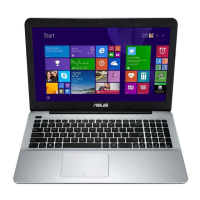
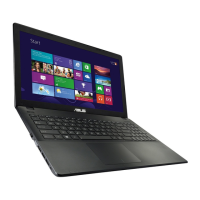
Overview of the notebook's top view and its components.
Details on microphone, camera, display panel, and power button.
Description of components and features located on the underside.
Identification and description of ports on the right side.
Identification and description of ports on the left side.
Description of features and indicators on the front side.
First-time use procedures and connecting the power adapter.
Guide to touchpad operations, gestures, and pointer movement.
Explanation of function keys, special keys, and shortcuts.
Usage of the numeric keypad and optical drive operations.
Steps for first-time configuration of the operating system.
Using the Start menu and managing Windows applications.
Explanation of Task View and Snap feature for multitasking.
Notification center overview and useful keyboard shortcuts.
Wi-Fi, Bluetooth, and wired network setup procedures.
Procedures for turning off and putting the notebook to sleep.
Explanation of diagnostic tests and the BIOS system.
Accessing and changing BIOS options for system configuration.
Setting passwords and controlling I/O interface security.
Procedures for saving BIOS settings and updating the BIOS.
Steps for removing the compartment cover to access internal parts.
Guides for installing or upgrading RAM modules and Hard Disk Drives.
Instructions for installing a new battery pack.
General advice for optimal performance, security, and battery life.
Answers to common hardware and software issues encountered.
Details on DVD/Blu-ray drives and regional playback restrictions.
Modem compliance with standards and network compatibility.
FCC, CE, IC, and other declarations of conformity.
Safety, REACH, battery warnings, and laser safety.
ENERGY STAR, environmental compliance, and recycling information.
Specific regional warnings and battery recycling services.
Formal product conformity statement for the European Community.
 General
| Form factor | Clamshell |
|---|---|
| Product type | Laptop |
| Product color | Black |
| Numeric keypad | Yes |
| Pointing device | Touchpad |
| Memory slots | 1x SO-DIMM |
| Internal memory | 8 GB |
| Memory clock speed | 2133 MHz |
| Internal memory type | DDR4-SDRAM |
| Maximum internal memory | 24 GB |
| Storage media | HDD |
| Optical drive type | DVD Super Multi |
| Total storage capacity | 1000 GB |
| Compatible memory cards | SD, SDHC, SDXC |
| Display diagonal | 15.6 \ |
| Native aspect ratio | 16:9 |
| On-board graphics card ID | 0x191B |
| Discrete graphics card model | NVIDIA® GeForce® GTX 950M |
| On-board graphics card model | Intel® HD Graphics 530 |
| On-board graphics card family | Intel® HD Graphics |
| Maximum on-board graphics card memory | 1.7 GB |
| On-board graphics card OpenGL version | 4.4 |
| On-board graphics card base frequency | 350 MHz |
| On-board graphics card DirectX version | 12.0 |
| On-board graphics card dynamic frequency (max) | 1050 MHz |
| Battery capacity | 44 Wh |
| Battery technology | - |
| Number of battery cells | 4 |
| AC adapter power | 120 W |
| AC adapter output current | 6.3 A |
| AC adapter output voltage | 19 V |
| Cable lock slot type | Kensington |
| Password protection type | BIOS, User |
| Audio system | SonicMaster |
| Wi-Fi standards | 802.11b, 802.11g, Wi-Fi 4 (802.11n) |
| Ethernet LAN data rates | 10, 100, 1000 Mbit/s |
| Charging port type | DC-in jack |
| DisplayPorts quantity | 0 |
| USB 2.0 ports quantity | 1 |
| USB 3.2 Gen 1 (3.1 Gen 1) Type-A ports quantity | 2 |
| Bus type | DMI3 |
| Stepping | R0 |
| Tjunction | 100 °C |
| Processor cache | 6 MB |
| System bus rate | 8 GT/s |
| Processor family | Intel® Core™ i7 |
| Processor series | Intel Core i7-6700 Mobile series |
| Processor socket | BGA 1440 |
| Processor threads | 8 |
| Processor codename | Skylake |
| Processor frequency | 2.6 GHz |
| Processor cache type | Smart Cache |
| Configurable TDP-down | 35 W |
| Processor lithography | 14 nm |
| Processor manufacturer | Intel |
| Processor front side bus | - MHz |
| PCI Express slots version | 3.0 |
| Processor boost frequency | 3.5 GHz |
| Processor operating modes | 64-bit |
| PCI Express configurations | 1x16, 2x8, 1x8+2x4 |
| Thermal Design Power (TDP) | 45 W |
| Maximum number of PCI Express lanes | 16 |
| Processor code | SR2FQ |
| Processor ARK ID | 88967 |
| Processor package size | 42 x 28 mm |
| Supported instruction sets | SSE4.1, SSE4.2, AVX 2.0 |
| Intel Secure Key Technology version | 1.00 |
| Intel Stable Image Platform Program (SIPP) version | 0.00 |
 Weight and Dimensions
| Depth | 251 mm |
|---|---|
| Width | 380 mm |
| Weight | 2450 g |
| Height (rear) | 31.7 mm |
| Height (front) | 29.2 mm |

 To Next Page