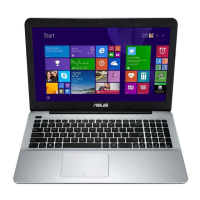
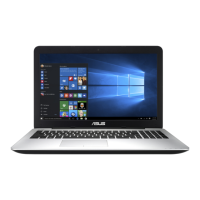
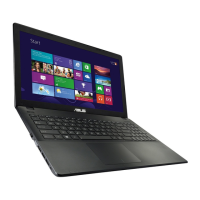
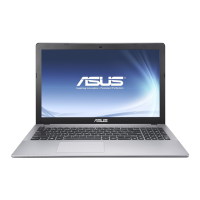
Need help?
Do you have a question about the Asus X551 Series and is the answer not in the manual?
Covers copyright restrictions and limitation of liability for the manual and product.
Directs users to the ASUS support website for assistance.
Provides a chapter-by-chapter summary of the manual's content.
Explains text formatting, icons, and symbols used in the manual for clarity.
Outlines critical safety measures for using the Notebook PC to prevent harm.
Provides instructions for maintaining the Notebook PC.
Provides guidelines for the responsible disposal of the Notebook PC and its battery.
Details components located on the top, bottom, right, left, and front sides of the Notebook PC.
Covers initial setup, charging the battery, and powering on the Notebook PC.
Explains how to use the touchpad with various gestures for control and navigation.
Describes keyboard layout, function keys, and special shortcuts for efficient operation.
Instructions for inserting, playing, and ejecting discs from the optical drive.
Guides through first-time setup, lock screen, and the Windows® 8 interface elements.
Covers launching, customizing, closing apps, and using onscreen hotspots.
Details establishing Wi-Fi, Bluetooth, and wired network connections for internet access.
Explains how to turn off the PC or put it into sleep mode for power saving.
Utilizes the webcam for photos, videos, monitoring, and games on the Notebook PC.
Optimizes system performance and battery life using adjustable power saving modes.
Saves battery power by enabling Instant On for improved deep sleep mode functionality.
Explains POST, how to enter BIOS, and access troubleshooting options for system issues.
Covers BIOS boot options, security features, and password management for system access.
Details BIOS updates and system image recovery processes for system maintenance.
Guides through PC refresh, reset, advanced options, and system image recovery for resolving issues.
Information on optical drives and DVD region restrictions for playback compatibility.
Modem compliancy, network compatibility statements, and regulatory overview.
Covers FCC, RF exposure, CE, IC, safety, environmental, and battery notices for compliance.
Official statement of product compliance with relevant EU directives and standards.
 General
| Storage | 500GB HDD |
|---|---|
| Display | 15.6-inch, 1366x768 pixels |
| Graphics | Intel HD Graphics |
| Operating System | Windows 8.1 |
| Optical Drive | DVD Super Multi |
| Connectivity | Wi-Fi 802.11b/g/n |
| Ports | 1 x USB 3.0 port(s) |
| Card Reader | SD, MMC |
| Camera | VGA webcam |
| Dimensions | 380 x 251 x 25.3-31.7 mm |
| Battery | 3-cell |

 To Next Page