EasyManua.ls Logo

Asus X555B - User Manual

Asus X555B
116 pages
Print Icon
To Next Page IconTo Next Page
Loading...
E-Manual
E11616
First Edition
June 2016

Table of Contents

Question and Answer IconNeed help?

Do you have a question about the Asus X555B and is the answer not in the manual?

Summary

Safety precautions

Using your Notebook PC

Provides guidelines for safe operation of the notebook in various environments.

Chapter 1: Hardware Setup

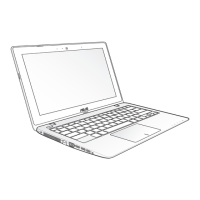
Getting to know your Notebook PC

Introduces the physical components of the notebook.

Chapter 2: Using your Notebook PC

Getting started

Covers initial setup steps for the notebook.

Charge your Notebook PC

Instructions on connecting the AC adapter and charging the battery.

Lift to open the display panel

Guidance on how to open the notebook's screen.

Press the power button

Explains how to turn the notebook on or off.

Using the touchpad

Details how to navigate and interact using the touchpad.

Using the keyboard

Explains keyboard functionalities and special keys.

Function keys

Describes the commands activated by Fn key combinations.

Windows 10 keys

Explains the function of Windows-specific keys.

Multimedia control keys

Details keys used for controlling audio and video playback.

Using the optical drive

Provides instructions for using the CD/DVD drive.

Chapter 3: Working with Windows 10

Starting for the first time

Guides through the initial setup of Windows 10.

Start menu

Explains how to use the Windows Start menu for accessing applications.

Windows apps

Describes pinned apps and their tiled format on the Start menu.

Working with Windows apps

Covers launching, customizing, and closing applications.

Customizing Windows apps

Details how to move, resize, unpin, and pin apps.

Task view

Explains how to switch between open applications and desktops.

Snap feature

Describes displaying apps side-by-side for multitasking.

Chapter 4: Power-On Self-Test (POST)

To update the BIOS

Procedure for updating the system's BIOS.

Recovering your system

Information on restoring the notebook to a previous state.

Chapter 5: Upgrading your Notebook PC

Tips and FAQs

Summary

Safety precautions

Using your Notebook PC

Provides guidelines for safe operation of the notebook in various environments.

Chapter 1: Hardware Setup

Getting to know your Notebook PC

Introduces the physical components of the notebook.

Chapter 2: Using your Notebook PC

Getting started

Covers initial setup steps for the notebook.

Charge your Notebook PC

Instructions on connecting the AC adapter and charging the battery.

Lift to open the display panel

Guidance on how to open the notebook's screen.

Press the power button

Explains how to turn the notebook on or off.

Using the touchpad

Details how to navigate and interact using the touchpad.

Using the keyboard

Explains keyboard functionalities and special keys.

Function keys

Describes the commands activated by Fn key combinations.

Windows 10 keys

Explains the function of Windows-specific keys.

Multimedia control keys

Details keys used for controlling audio and video playback.

Using the optical drive

Provides instructions for using the CD/DVD drive.

Chapter 3: Working with Windows 10

Starting for the first time

Guides through the initial setup of Windows 10.

Start menu

Explains how to use the Windows Start menu for accessing applications.

Windows apps

Describes pinned apps and their tiled format on the Start menu.

Working with Windows apps

Covers launching, customizing, and closing applications.

Customizing Windows apps

Details how to move, resize, unpin, and pin apps.

Task view

Explains how to switch between open applications and desktops.

Snap feature

Describes displaying apps side-by-side for multitasking.

Chapter 4: Power-On Self-Test (POST)

To update the BIOS

Procedure for updating the system's BIOS.

Recovering your system

Information on restoring the notebook to a previous state.

Chapter 5: Upgrading your Notebook PC

Tips and FAQs

Asus X555B Specifications

General IconGeneral
RAM4GB DDR4
Storage1TB HDD
Display15.6-inch HD (1366x768)
GraphicsAMD Radeon R5
Operating SystemWindows 10 Home
Battery2-cell
ProcessorAMD A9-9420/A6-9220/A4-9125

Related product manuals