EasyManua.ls Logo

Asus X552 Series - User Manual

Asus X552 Series
128 pages
Print Icon
To Next Page IconTo Next Page
Loading...
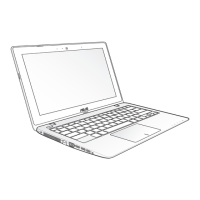
Notebook PC
E-Manual
15.6”: X552 Series
14.0”: X452 Series
First Edition
June 2013
E8453

Table of Contents

Question and Answer IconNeed help?

Do you have a question about the Asus X552 Series and is the answer not in the manual?

Summary

System Diagnostics and Configuration

Using POST to Access BIOS and Troubleshoot

Describes how to access BIOS and troubleshooting options via POST.

BIOS Settings

Details the Basic Input/Output System settings and configuration.

BIOS Update Procedure

Steps to verify model, download BIOS, and update using Easy Flash.

Upgrading Your Notebook PC

Installing a Random-access Memory module*

Provides steps for installing or upgrading RAM.

Replacing the Hard Disk Drive*

Guides on how to replace the notebook's hard disk drive.

About This Manual

Chapter 6: Upgrading Your Notebook PC

Guides through replacing and upgrading parts.

Safety Precautions

Using Your Notebook PC Safely

Safety guidelines for operating the Notebook PC in different environments and conditions.

Chapter 1: Hardware Setup

Chapter 2: Using Your Notebook PC

Getting Started and Initial Setup

Guides for initial setup, battery installation, and charging.

Touchpad Gestures

Explains various single, two, and three-finger gestures for navigation.

Keyboard Operations

Details function keys, ASUS app keys, Windows keys, and numeric keypad usage.

Chapter 3: Working with Windows 8

Connectivity

Wireless Network Connections

Guides for enabling Wi-Fi and Bluetooth connections.

Wired Network Connections

Steps to configure dynamic IP/PPPoE and static IP network connections.

Power Management

Shutting Down and Sleeping the Notebook

Procedures for turning off the notebook and putting it into sleep mode.

ASUS Applications

Chapter 5: Power-on Self Test (POST)

Accessing BIOS and Troubleshoot

Describes how to access BIOS and troubleshooting options via POST.

BIOS Settings and Boot Options

Guides for setting BIOS options, including boot priority.

Security Settings

Procedures for setting user/administrator passwords and interface security.

Troubleshooting and Recovery

PC Refresh and Reset Options

Guides for refreshing or resetting the PC to default settings.

Advanced Troubleshooting Options

Covers advanced options like System Image Recovery.

Chapter 6: Upgrading Your Notebook PC

Memory Module Installation

Detailed steps for installing or upgrading RAM modules.

Hard Disk Drive Replacement

Step-by-step instructions for replacing the HDD.

Battery Pack Installation

Instructions for installing or replacing the notebook's battery pack.

Summary

System Diagnostics and Configuration

Using POST to Access BIOS and Troubleshoot

Describes how to access BIOS and troubleshooting options via POST.

BIOS Settings

Details the Basic Input/Output System settings and configuration.

BIOS Update Procedure

Steps to verify model, download BIOS, and update using Easy Flash.

Upgrading Your Notebook PC

Installing a Random-access Memory module*

Provides steps for installing or upgrading RAM.

Replacing the Hard Disk Drive*

Guides on how to replace the notebook's hard disk drive.

About This Manual

Chapter 6: Upgrading Your Notebook PC

Guides through replacing and upgrading parts.

Safety Precautions

Using Your Notebook PC Safely

Safety guidelines for operating the Notebook PC in different environments and conditions.

Chapter 1: Hardware Setup

Chapter 2: Using Your Notebook PC

Getting Started and Initial Setup

Guides for initial setup, battery installation, and charging.

Touchpad Gestures

Explains various single, two, and three-finger gestures for navigation.

Keyboard Operations

Details function keys, ASUS app keys, Windows keys, and numeric keypad usage.

Chapter 3: Working with Windows 8

Connectivity

Wireless Network Connections

Guides for enabling Wi-Fi and Bluetooth connections.

Wired Network Connections

Steps to configure dynamic IP/PPPoE and static IP network connections.

Power Management

Shutting Down and Sleeping the Notebook

Procedures for turning off the notebook and putting it into sleep mode.

ASUS Applications

Chapter 5: Power-on Self Test (POST)

Accessing BIOS and Troubleshoot

Describes how to access BIOS and troubleshooting options via POST.

BIOS Settings and Boot Options

Guides for setting BIOS options, including boot priority.

Security Settings

Procedures for setting user/administrator passwords and interface security.

Troubleshooting and Recovery

PC Refresh and Reset Options

Guides for refreshing or resetting the PC to default settings.

Advanced Troubleshooting Options

Covers advanced options like System Image Recovery.

Chapter 6: Upgrading Your Notebook PC

Memory Module Installation

Detailed steps for installing or upgrading RAM modules.

Hard Disk Drive Replacement

Step-by-step instructions for replacing the HDD.

Battery Pack Installation

Instructions for installing or replacing the notebook's battery pack.

Asus X552 Series Specifications

General IconGeneral
ProcessorIntel Core i3/i5/i7
RAMUp to 8GB DDR3
Storage500GB/750GB/1TB HDD
Display15.6" 16:9 HD (1366x768)
GraphicsIntegrated Intel HD Graphics
Operating SystemWindows 8
Optical DriveDVD Super Multi
NetworkingWi-Fi 802.11b/g/n
ConnectivityBluetooth 4.0
PortsUSB 2.0, USB 3.0, HDMI, VGA, RJ-45
Card ReaderSD/MMC
CameraVGA Web Camera
AudioBuilt-in stereo speakers, SonicMaster
Dimensions380 x 255 x 25.2-34.2 mm (14.96 x 10.04 x 0.99-1.35 inches)

Related product manuals