13
ASUS Xonar D1
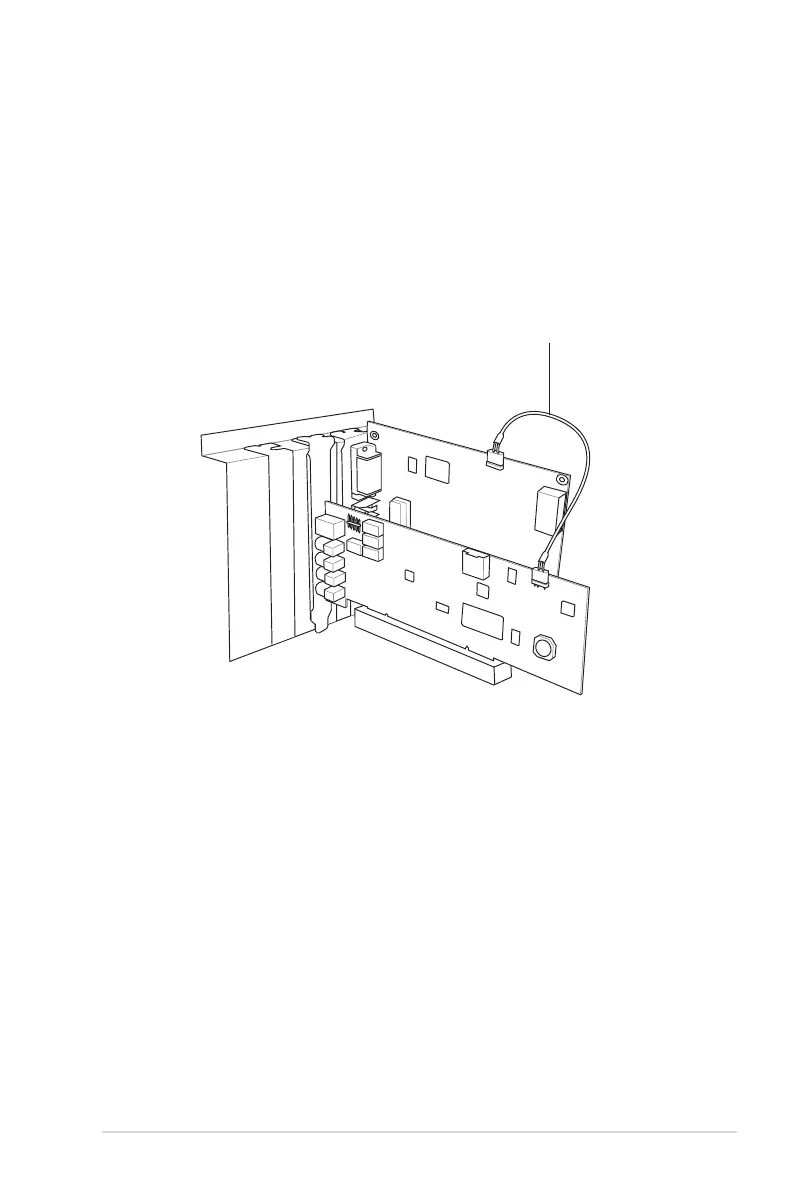
3.3 Connecting to a graphics card with HDMI support
1. Install a graphics card with HDMI output support.
2. Using the bundled S/PDIF cable, connect one end to the 3-pin S/PDIF Out
header on the Xonar D1 audio card, and connect the other end to the 2-pin
S/PDIF In header on the graphics card.
S/PDIF cable
Graphics card
Xonar D1



 To Next Page