13ASUS Xonar DGX
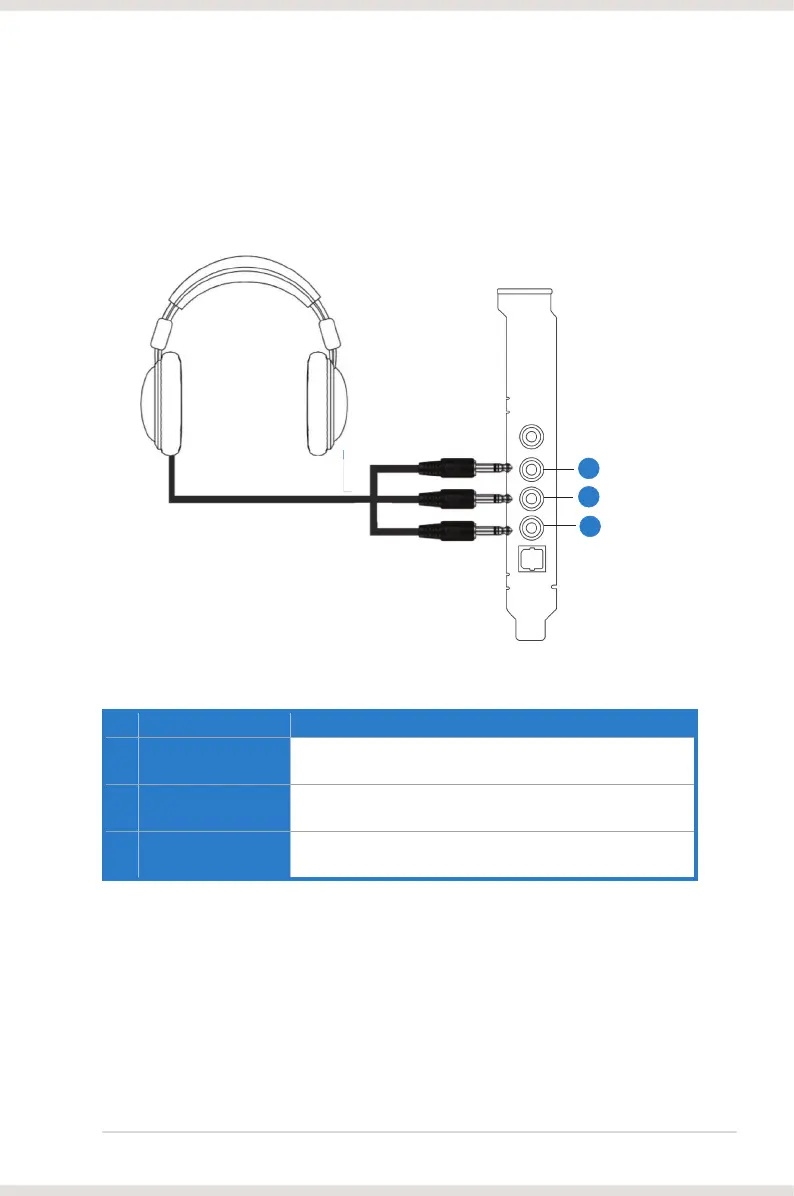
5.2.2 Connecting 5.1 channel Headphones
1
2
3
No Item Description
1 Front Out
Connect the front-channel 3.5mm plug of your 5.1
headphone into this jack.
2 Side Surround Out
Connect the surround-channel 3.5mm plug of your 5.1
headphone into this jack.
3 Center/Subwoofer Out
Connect the Center/Bass-channel 3.5mm plug of your 5.1
headphone into this jack.


 To Next Page