Quick Start Guide
Safety Information
Before installing the device on a motherboard, carefully read all the manuals that came with the package.
To prevent electrical shock hazard or short circuits, switch off the power supply before installing the device on a
motherboard or connecting any singal cables to the device.
If the device is broken, do not try to fix it by yourself. Contact a qualified service technician or your retailer.
Before using the product, make sure all cables are correctly connected. If you detect any damage, contact your
dealer immediately.
To avoid short circuits, keep paper clips, screws, and staples away from connectors, sockets and circuitry.
Avoid dust, humidity, and temperature extremes. Do not place the product in any area where it may become
wet.
Place the product on a stable surface.
If you encounter technical problems with the product, contact a qualified service technician or your retailer.
This symbol of the crossed out wheeled bin indicates that the product (electrical and electronic equipment) should not
be placed in municipal waste. Check local regulations for disposal of electronic products.
Package Contents
This package should contain the following:
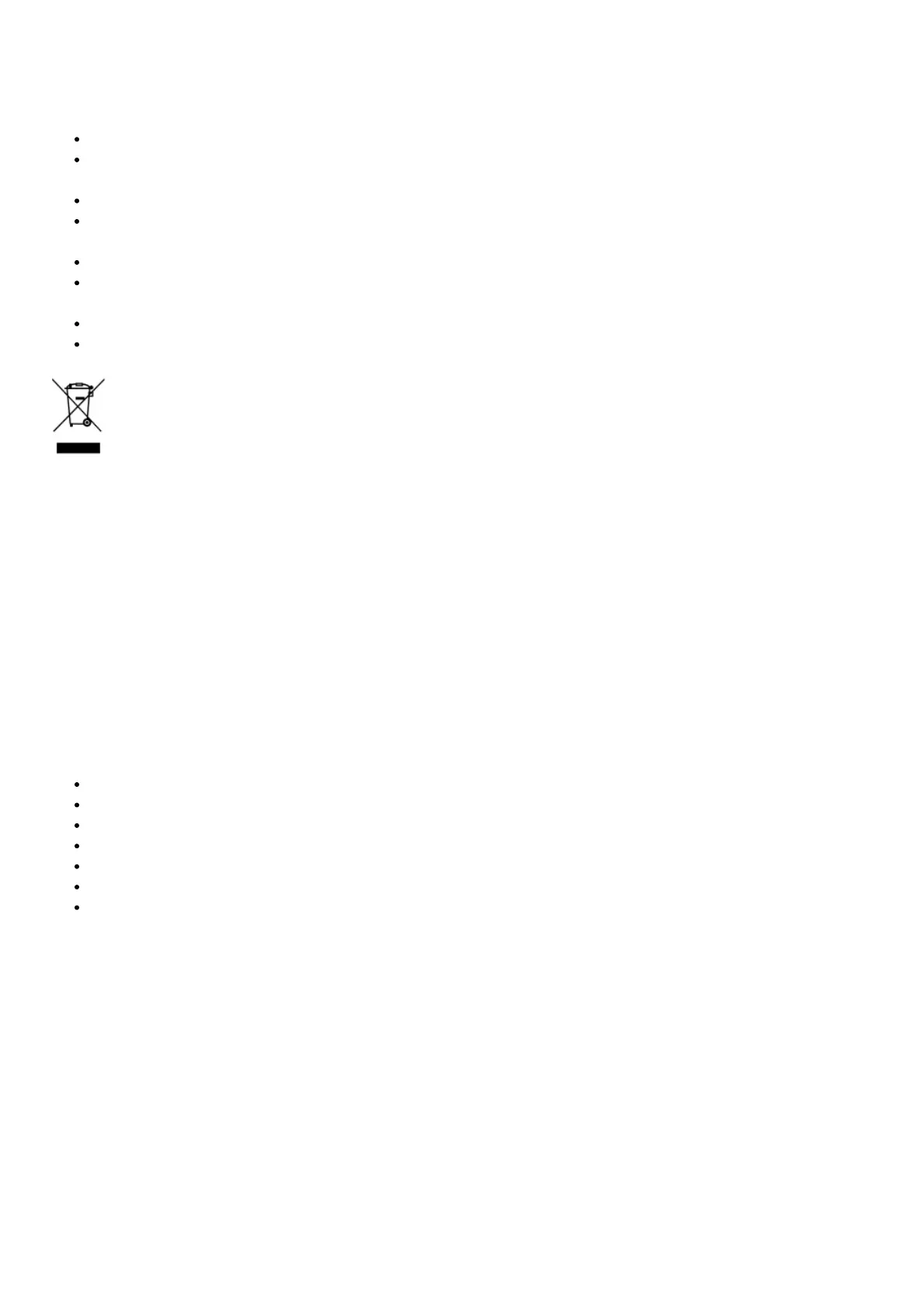
• ASUS Xonar SE PCIE audio card • Low Profile Bracket x1
• Support CD x1 • Quick Start Guide x1
System Requirements
To ensure a successful installation of the the Xonar SE audio card, your computer must meet the following
requirements:
One PCIE 1.0 (or higher) compatible slot for the audio card
Microsoft® Windows® 10/ 8.1 /7 SP1(32/64bit)
Intel® Pentium® 4 1.4 GHz or AMD® Athlon 1400 CPU or faster CPU
1GB (or above) DRAM system memory
300 MB available HDD space for driver installation package
CD-ROM drive (or DVD-ROM drive ) for software installation
High-quality headphones or powered analog speakers to enjoy the ultra-high fidelity sound of the card
Driver Installation
After installing the Xonar SE audio card into your computer, you need to install the device driver that enables the
Xonar SE audio card to work with Windows operating system.
IMPORTANT: Ensure that you have installed the audio card driver before installing the Xonar SE driver. Otherwise,
driver installation error may occur.
To install the device driver:
1. After you have installed the Xonar SE card, turn on your computer. Windows® automatically detects the audio
card and searches for device drivers. When prompted for the drivers, click Cancel.
2. Insert the support CD into the optical drive. If Autorun is enabled in your system, the setup starts automatically.
If not, run setup.exe from your support CD.
3. Follow the onscreen instructions to finish the installation.



 To Next Page