15
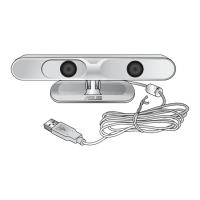
ASUS Xtion
Launching Xtion Portal
Xtion Portal is a user interface that allows you to use motion gestures to
control high-denition contents from your computer to your high-denition
display.
To launch Xtion Portal:
• Double-click the Xtion Portal icon
on the desktop. You can now start
using motion gestures to control and
enjoy high-denition contents such
as photos, movies, or games from
your computer to your high-denition
display.
IMPORTANT! When the Xtion Portal is running, DO NOT disconnect
the Xtion.


 To Next Page
 Loading...