Getting Started
Page 6
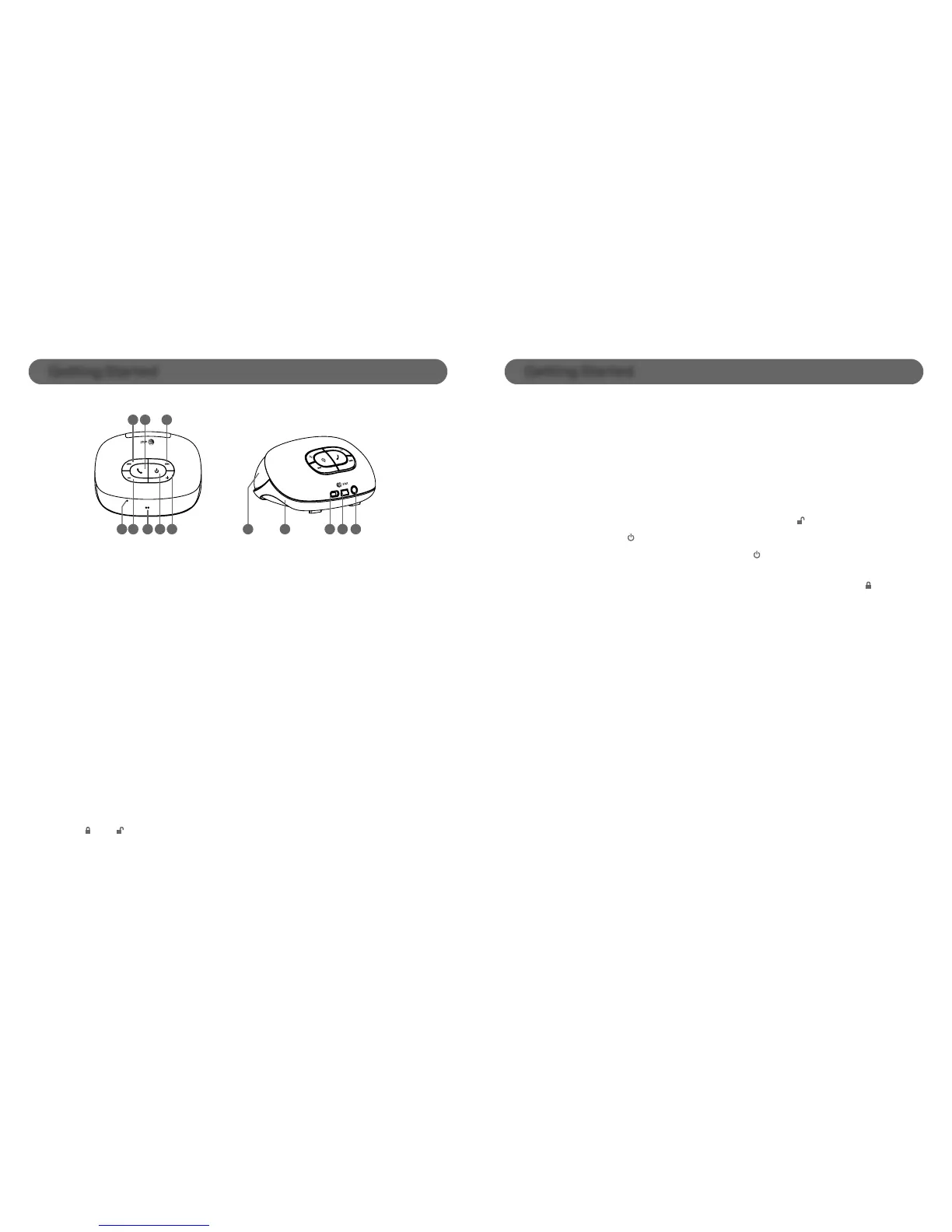
Controls
Getting Started
Page 7
Charging
Power Up
- Slide the switch on the back of the speaker to the ON position.
- Press and hold the
until the front LED indicator turns on blue.
- To power down your speaker, hold down the
button until the speaker
says “Goodbye”
- On the back of the speaker, slide the main power switch to the OFF
position to prevent accidental button presses.
Using the Audio Line in Connection
(
AUX
-
INPUT
)
- To playback your music via the AUX-IN port, plug a standard stereo
headphone cable (3.5 mm) from your audio device to LoudSpeak’r and
begin playback on your audio device.
- Charge your LoudSpeak’r through any USB jack or wall charger.
- The LED indicator will begin to blink blue.
- Full charge time is two hours and the LED indicator will stop blinking.
1 2 3
5
94 10 11
12
13
876
General
4. Microphone
5. Volume down
6. LED indicator
7. Power ON/OFF; Enter Bluetooth paring mode
(Long hold while device is off)
8. Volume up
9. Stereo speaker
10. Passive radiator subwoofer
11. OFF /ON switch
12. USB charging jack
13. Aux-in jack
During Bluetooth Music Playback
1. Previous track
2. Play/Pause
3. Next track
During Phone Calls
1. and 3. Mute/Unmute the microphone
2. During ringing: Answer incoming call/Reject incoming
call (long press)During the call: End current call/Toggle
audio between the phone and speaker (long press)


 To Next Page