27
Two-touch memory
Two-touch memory overview and
storage
Two-touch memory overview
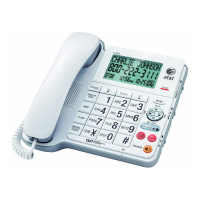
This telephone has 10 two-touch memory
locations (speed dial locations) where you can
store telephone numbers you wish to dial using
fewer keys than usual.
Each two-touch memory location can store a
telephone number with up to 24 digits.
Two-touch memory storage
Use the following steps to store a telephone
number in a desired two-touch memory location.
When the telephone is idle, press MEM. The
screen shows ENTER LOCATION.
Press SELECT, the screen displays
ENTER NUMBER.
To copy the last number dialed, press
REDIAL/PAUSE (up to 24 digits).
-OR-
Use the dial pad keys to enter the telephone
number (up to 24 digits).
To backspace and erase a digit, press REMOVE.
To insert a four-second dialing pause, press
REDIAL/PAUSE. A P appears on the screen.
Press MEM or SELECT. The screen shows
ENTER LOCATION.
Press a dial pad key (0 through 9) to choose
the desired two-touch memory location for the
new entry. The screen shows STORED with a
confirmation tone and then returns to idle mode.
NOTES:
If you enter more than 24 digits in step 3, the
screen shows ONLY 24 ALLOWED with an error
tone.
If the two-touch memory location you selected
in step 5 is occupied, the new telephone
number replaces the old one. Take caution not
to replace entries you do not wish to delete
from the two-touch memory locations.
1.
2.
3.
•
•
4.
5.
•
•
12:00
AM
11-20
15
ENTER NUMBER
8887227702_
12:00
AM
11-20
15
ENTER LOCATION
_
12:00
AM
11-20
15
STORED
Two-touch memory
12:00
AM
11-20
15
ENTER LOCATION
_


 To Next Page