4 MAINTENANCE
4.1 Maintenance Mode
Every 45 days the DC UPS automatically self tests the battery to determine its remaining useful
life. No user intervention is needed. If the unit detects a failed battery, the “Replace Battery”
LED indicator on the unit will light and the audible alarm will beep once every 15 minutes.
4.2 Customer Battery Replacement
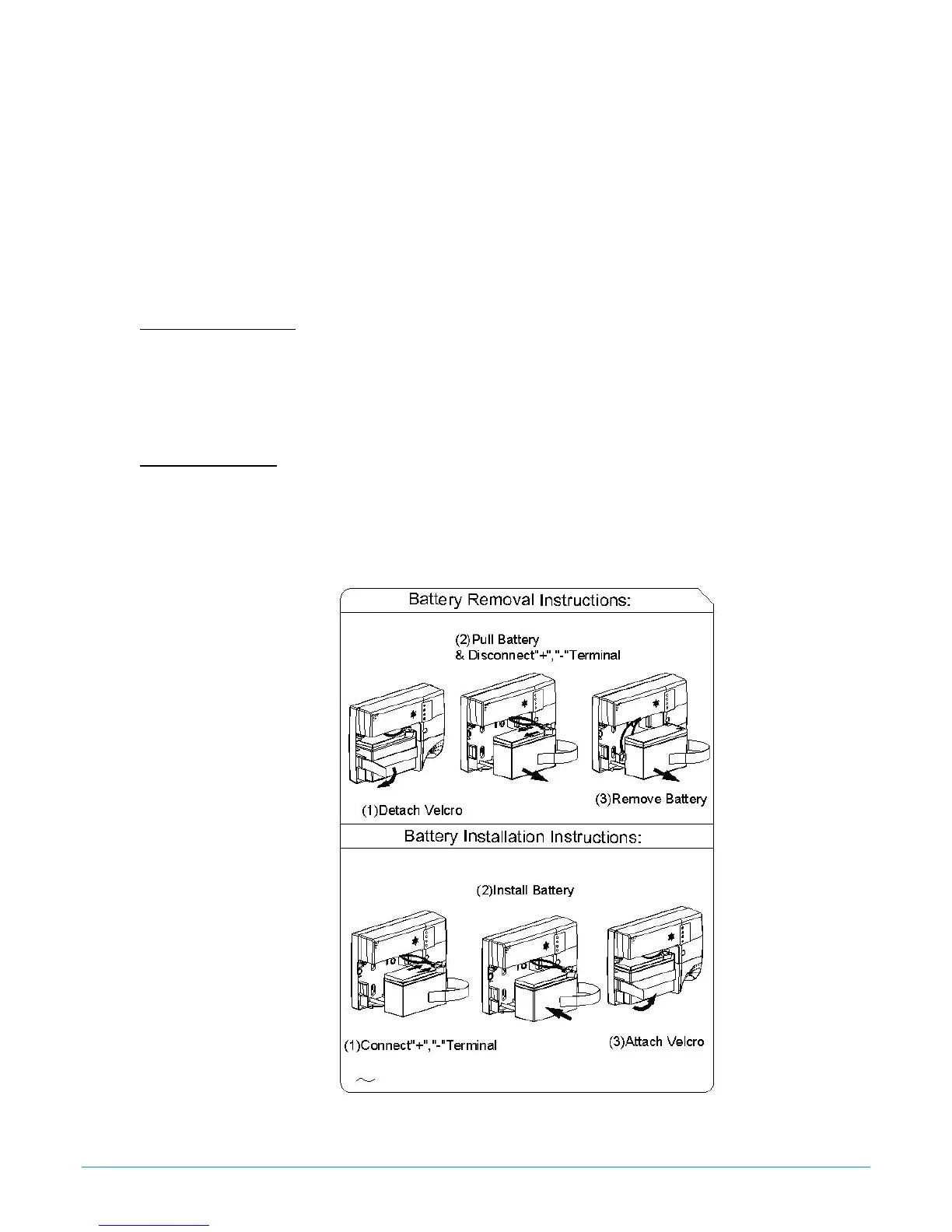
Battery replacement is detailed on a label located inside the front cover of the DC UPS.
Remove the Battery:
1. Open the front cover of the DC UPS by depressing the tab located at bottom of unit.
2. Detach the Velcro and pull out the old battery.
3. Disconnect the battery terminals (“+” & “-“) of DC UPS.
4. Remove the battery.
Install the Battery:
1. Reconnect “+” & ”-“ terminals to the new identical type battery.
2. Install the new battery.
3. Attach the Velcro and make sure the wires of the battery are free and not pinched by the
battery or door.
4. Close the door of the DC UPS.
Figure 5: Battery Replacement
DC UPS Operation Manual, Rev 1.0 Page: 8 of 8



 To Previous Page