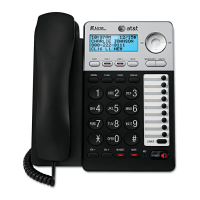
Getting started
Quick reference guide
3
Main menu
The > symbol highlights a menu item.
Main menu
System Setup
Ringers
Set Date/Time
One Touch
Phone Settings
Registration
Customer Support
Using menus
Press MENU/SELECT to show the main menu.
Press or to scroll through menu items.
Press MENU/SELECT or /SKIP to select a
highlighted menu item.
Press MENU/SELECT to save changes.
Press CANCEL to cancel an operation, exit the
menu display or return to the idle screen.
•
•
•
•
•
•
•
•
•
•
•
•
>System Setup
Ringers
Set Date/Time
One Touch


 To Next Page
 Loading...