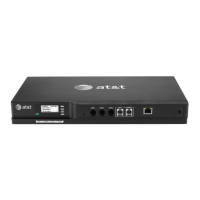
1
Syn248 Installation and Configuration Guide
C
ONTENTS
Preface ..............................................................................................................4
Additional Documentation .................................................................................................................................4
Topic Navigation .....................................................................................................................................................5
Text Conventions....................................................................................................................................................5
Installation .......................................................................................................6
System Overview ....................................................................................................................................................7
Software Version Compatibility......................................................................................................8
System Installation Overview..........................................................................................................9
Recommended Installation Sequence....................................................................................................... 10
Site Preparation.................................................................................................................................................... 11
Network Requirements.................................................................................................................... 11
Placement Considerations............................................................................................................. 12
Power Considerations ...................................................................................................................... 12
Other Preparations............................................................................................................................ 12
Assigning Telephone Lines and Extensions............................................................................................ 13
Providing Limited Telephone Service During AC Power Outages ............................. 13
Analog Line Connection Order on Gateways ...................................................................... 13
Connecting a Two-Line Wall Jack to the Gateway........................................................... 13
Extension Assignments.................................................................................................................... 14
Gateway Placement ........................................................................................................................................... 15
Rack Mounting ..................................................................................................................................... 15
Wall Mounting...................................................................................................................................... 16
Connecting the Gateway................................................................................................................................. 17
Deskset Installation............................................................................................................................................ 19
Connecting an Overhead Paging System (OHP).................................................................................. 26
Connecting a Music on Hold Source ......................................................................................................... 28
Cordless Headset Installation and Registration................................................................................... 30
SB35025 Deskset Registration....................................................................................................30
SB35031 Deskset Registration....................................................................................................31
Deregistering a Cordless Headset ............................................................................................. 32
Cordless Accessory Registration and Deregistration Time-Out.................................. 33
Product Registration .......................................................................................................................................... 34


 To Next Page