EasyManua.ls Logo

Atari 400 - Page 199

Atari 400
244 pages
Print Icon
To Next Page IconTo Next Page
To Previous Page IconTo Previous Page
Loading...
Loading
the
Program
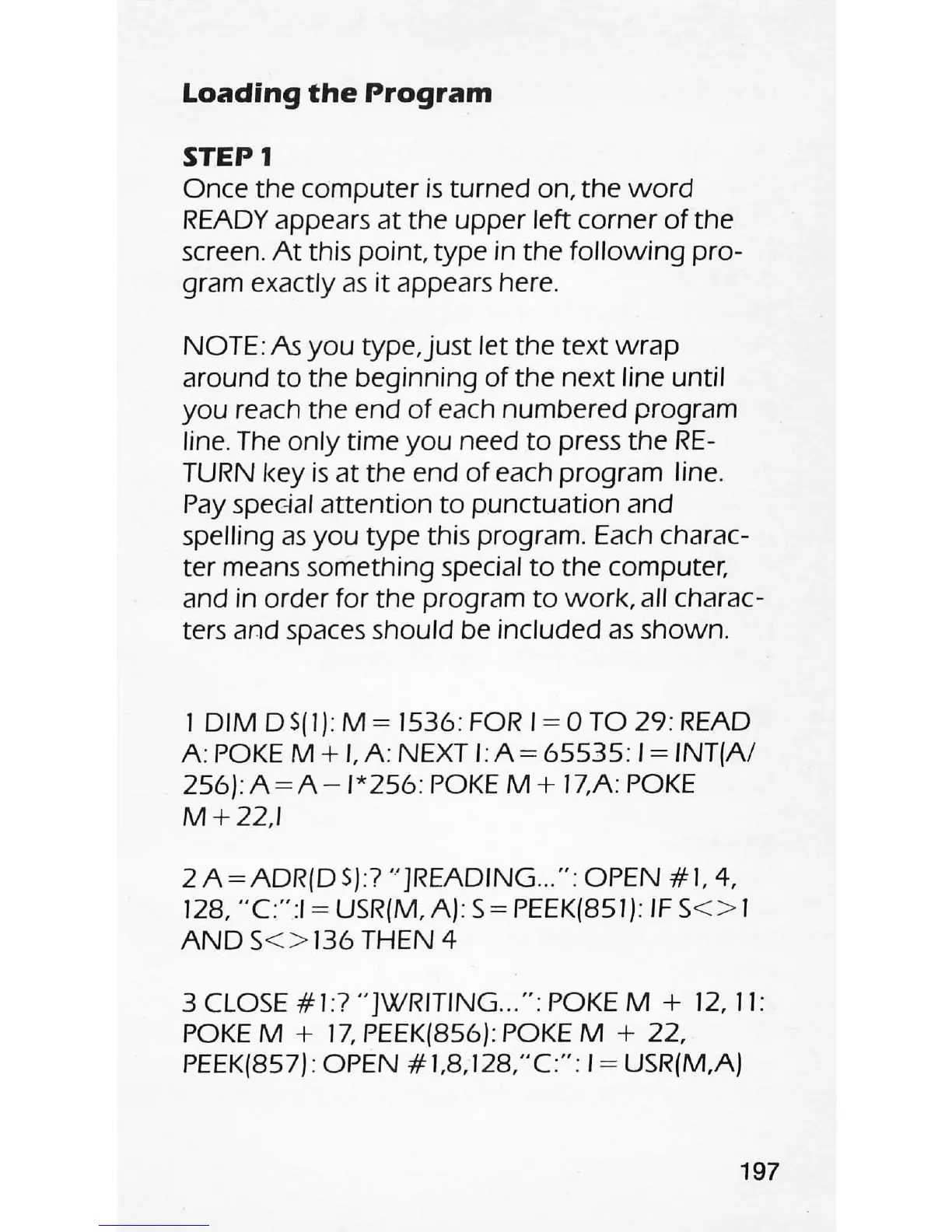
STEP
1
Once the
computer
is
turned on,
the
word
READY appears
at
the
upper
left corner
of
the
screen.
At
this point, type in
the
following
pro-
gram exactly
as
it
appears here.
NOTE: As
you
type,just
let the
text
wrap
around
to
the beginning
of
the
next
line until
you
reach the end
of
each numbered program
line. The
only
time
you
need
to
press the
RE-
TURN key
is
at
the end
of
each program line.
Pay
spec:-ial
attention
to
punctuation
and
spelling
as
you
type
this program. Each charac-
ter means something special
to
the
computer,
and in order for
the
program
to
work,
all charac-
ters and spaces should be included
as
shown.
I
DIM
DS(I): M = 1536:
FOR
1=0
TO
29
: READ
A:
POKE
M +
I.
A: NEXT I:
A=
65535
: 1= INT(A/
256):
A=A-I*256:
POKE
M+
17,A:
POKE
M+22,I
2A=ADR(DS):7
" ]READING
...
" : OPEN #1,
4,
128,
"C"
:I = USR(M, A): S = PEEK(851):
IF
S
<>
1
AND
S
<>
136
THEN 4
3
CLOSE
#1:7
"]WRITING
..
. " : POKE M +
12,
II:
POKE
M +
17,
PEEK(856): POKE M + 22,
PEEK(857) : OPEN
#1.8,128,"C":
1= USR(M,A)
197