CHAPTER 4
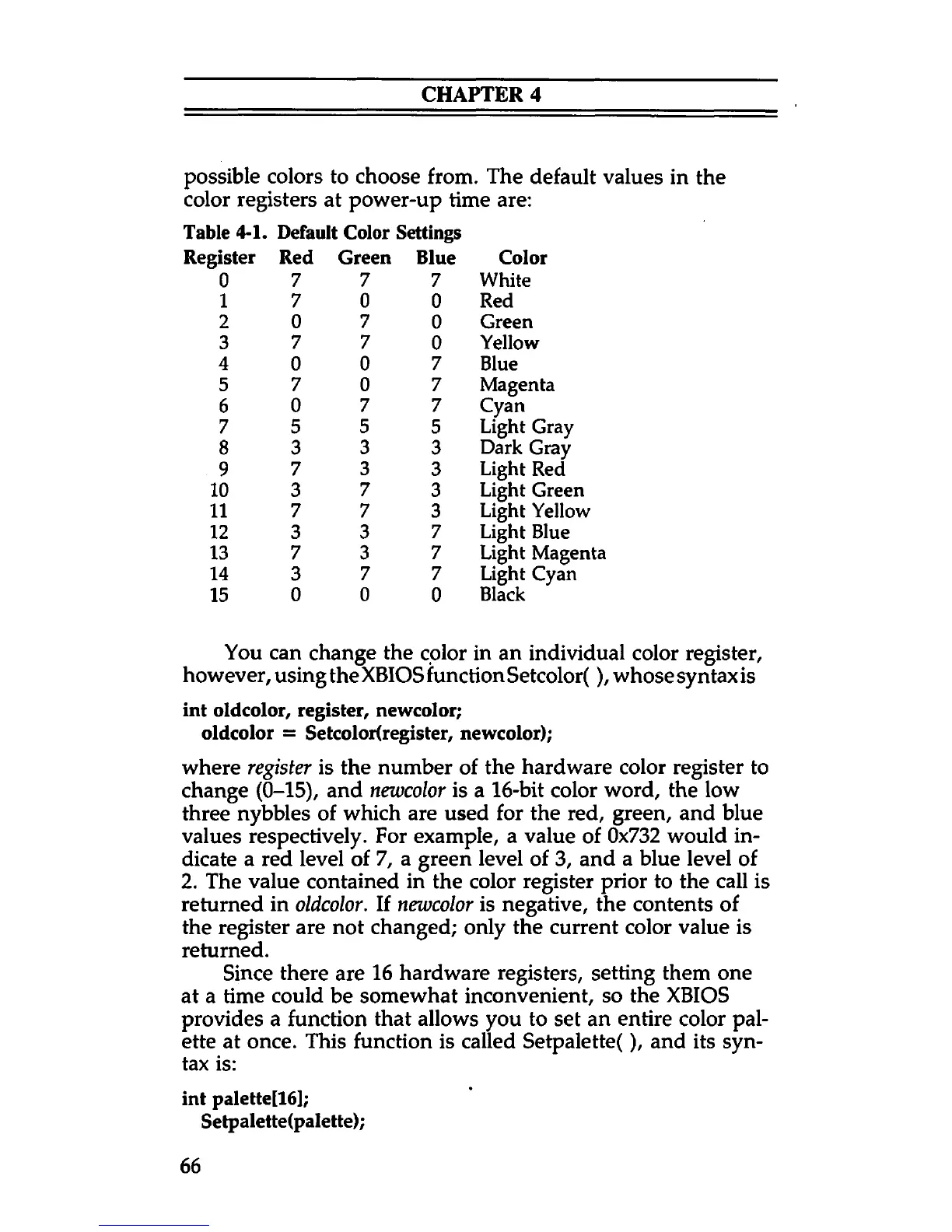
possible colors to choose from. The default values in the
color registers at power-up time are:
Table 4-1.
Register
Default Color Settings
Red Green Blue Color
0
7
7
7 White
1 7 0
0
Red
2 0
7
0
Green
3
7 7
0
Yellow
4
0 0 7 Blue
5
7 0 7 Magenta
6
0
7 7
Cyan
7 5
5
5
Light Gray
8 3
3
3
Dark Gray
9
7
3
3 Light Red
10 3
7
3
Light Green
11 7 7 3
Light Yellow
12
3
3
7
Light Blue
13
7 3
7 Light Magenta
14 3
7 7 Light Cyan
15
0 0
0
Black
You can change the color in an individual color register,
however, using the XBIOS function Setcolor(), whose syntax is
int oldcolor, register, newcolor;
oldcolor = Setcolor(register, newcolor);
where register is the number of the hardware color register to
change (0-15), and newcolor is a 16-bit color word, the low
three nybbles of which are used for the red, green, and blue
values respectively. For example, a value of 0x732 would in
dicate a red level of 7, a green level of 3, and a blue level of
2. The value contained in the color register prior to the call is
returned in oldcolor. If newcolor is negative, the contents of
the register are not changed; only the current color value is
returned.
Since there are 16 hardware registers, setting them one
at a time could be somewhat inconvenient, so the XBIOS
provides a function that allows you to set an entire color pal
ette at once. This function is called Setpalette(), and its syn
tax is:
int palette[16];
Setpalette(palette);
66



 To Next Page