EasyManua.ls Logo

Atari XL - Page 60

Atari XL
262 pages
Print Icon
To Next Page IconTo Next Page
To Previous Page IconTo Previous Page
Loading...
50
The
Ateri
XL
Handbook
Cursor
Control
Just
as
we
can
use
the
cursor
keys
to
move
the
cursor
round
the
screen,
so
can
we use a
program
to
move
it.
As
described
in
Chapter
3,
the
XL
interprets
four
characters
as
control
codes
governing
the
cursor
movement.
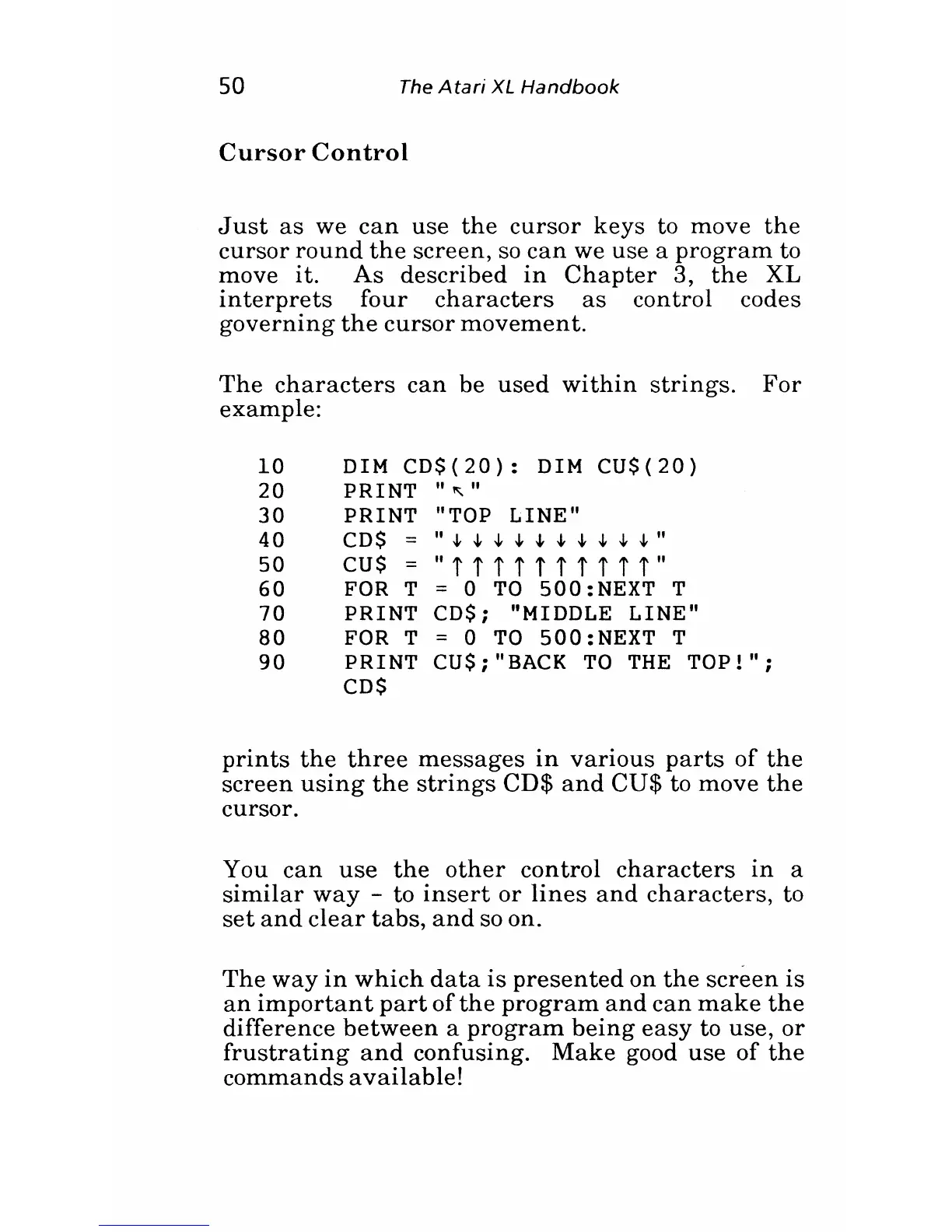
The
characters
can
be
used
within
strings.
For
example:
10 DIM
CD$(20):
DIM
CU$(20)
20
PRINT"
"
30 PRINT "TOP LINE"
40
CD
s"
-It -It -It
-It
-It -It
-It
-It -It -It
"
50
cus
=
"i
iii
iii
iii"
60
FOR
T = 0
TO
500:NEXT T
70 PRINT CDS; "MIDDLE LINE"
80 FOR T = 0
TO
500:NEXT T
90 PRINT CU$;"BACK
TO
THE
TOP!";
CDS
prints
the
three
messages
in
various
parts
of
the
screen
using
the
strings
CD$
and
CU$
to
move
the
cursor.
You
can
use
the
other
control
characters
in
a
similar
way
- to
insert
or
lines
and
characters,
to
set
and
clear
tabs,
and
so on.
The
way
in
which
data
is
presented
on
the
screen
is
an
important
part
of
the
program
and
can
make
the
difference
between
a
program
being
easy
to
use,
or
frustrating
and
confusing.
Make
good
use
of
the
commands
available!

Related product manuals