Background
A full screen image, often a camera source.
Fill
The graphic you plan to display on top of your background video. Notice that the final
composition does not retain any black from the graphic because all of the black parts have
been cut out of the image.
Linear Key
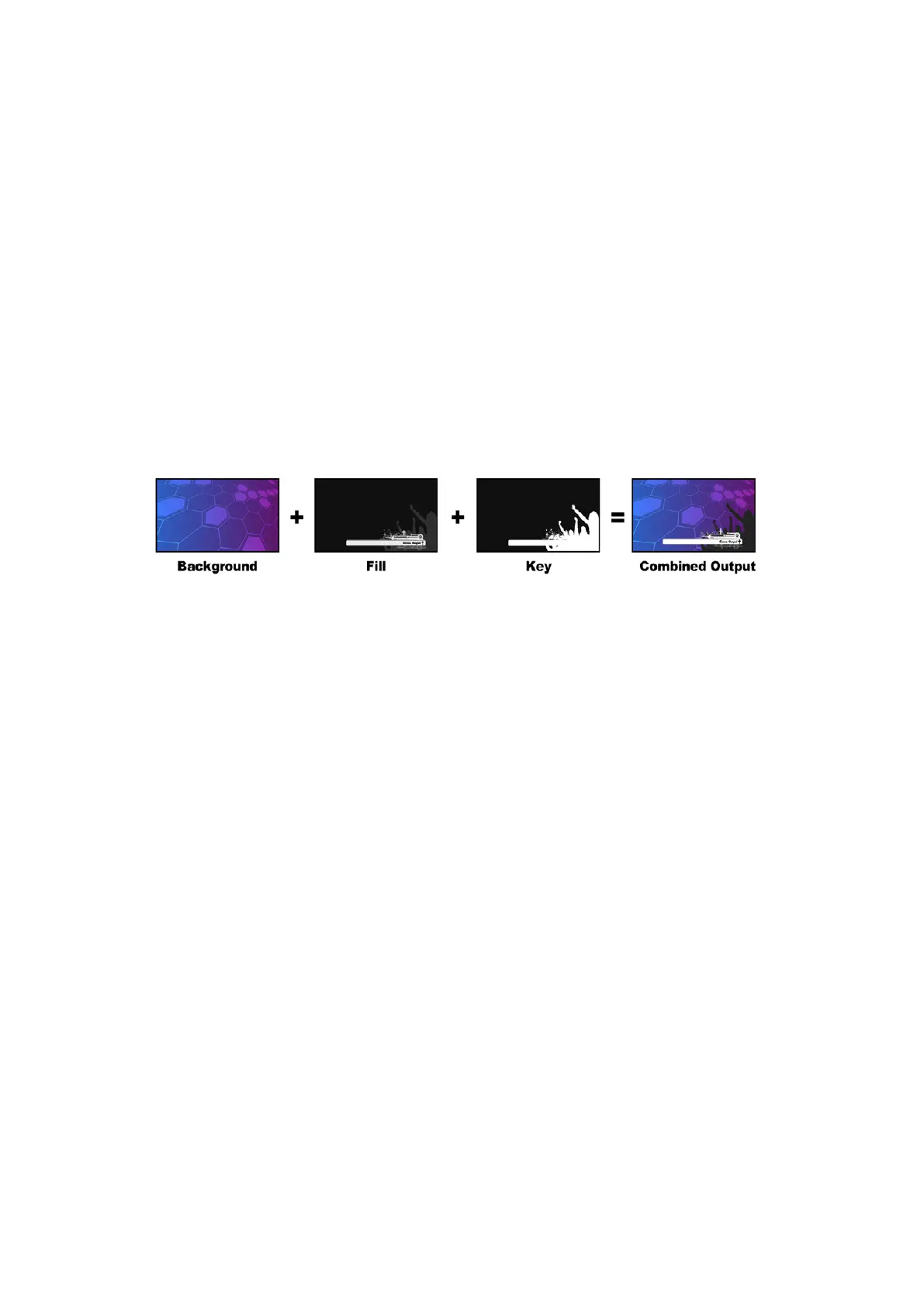
A linear key consists of two video sources; the fill signal and the key or cut signal. The fill
signal contains a video image which is to be stacked on top of the background, while the key
signal contains a grayscale mask that is used to define regions of the fill signal to be made
transparent. Since both the fill and key signals are video inputs, both signals can be in motion
while on screen. The following images are examples of what background, fill, key signals and
the resulting combined image might look like.
Combining a background, fill and key in a linear key
Background
A full screen image, often a camera source.
Fill
The graphic you plan to display on top of your background video. Notice that the black parts of
the graphic remain intact because the key signal is used to determine the transparency of the
fill signal. The fill signal is often provided by a graphics system.
Key
A grayscale image that defines the region in the image that will be removed so that the fill
signal can be correctly stacked on top of the background. The key signal is often provided by a
graphics system.
Pre multiplied Key
A modern graphics system or character generator that offers fill and key outputs will most
likely provide what is known as a pre-multiplied or shaped key. A pre-multiplied key is a special
combination of the fill and key signal where the fill signal has been pre-multiplied with the key
signal over a black background. Photoshop generated images that contain an alpha channel are
pre-multiplied.
ATEM switchers have an auto key adjustment for pre-multiplied keys so that when the pre-
multiplied key setting is enabled, the clip and gain parameters are automatically set by
the system.
When using a Photoshop generated image, generate graphics over a black background layer
and place all content on the upper layers. Add an alpha channel in your Photoshop document
that the ATEM can use for blending the graphic over the live video. Then, when saved as a
104Keying using ATEM Switchers


 To Next Page
 Loading...
