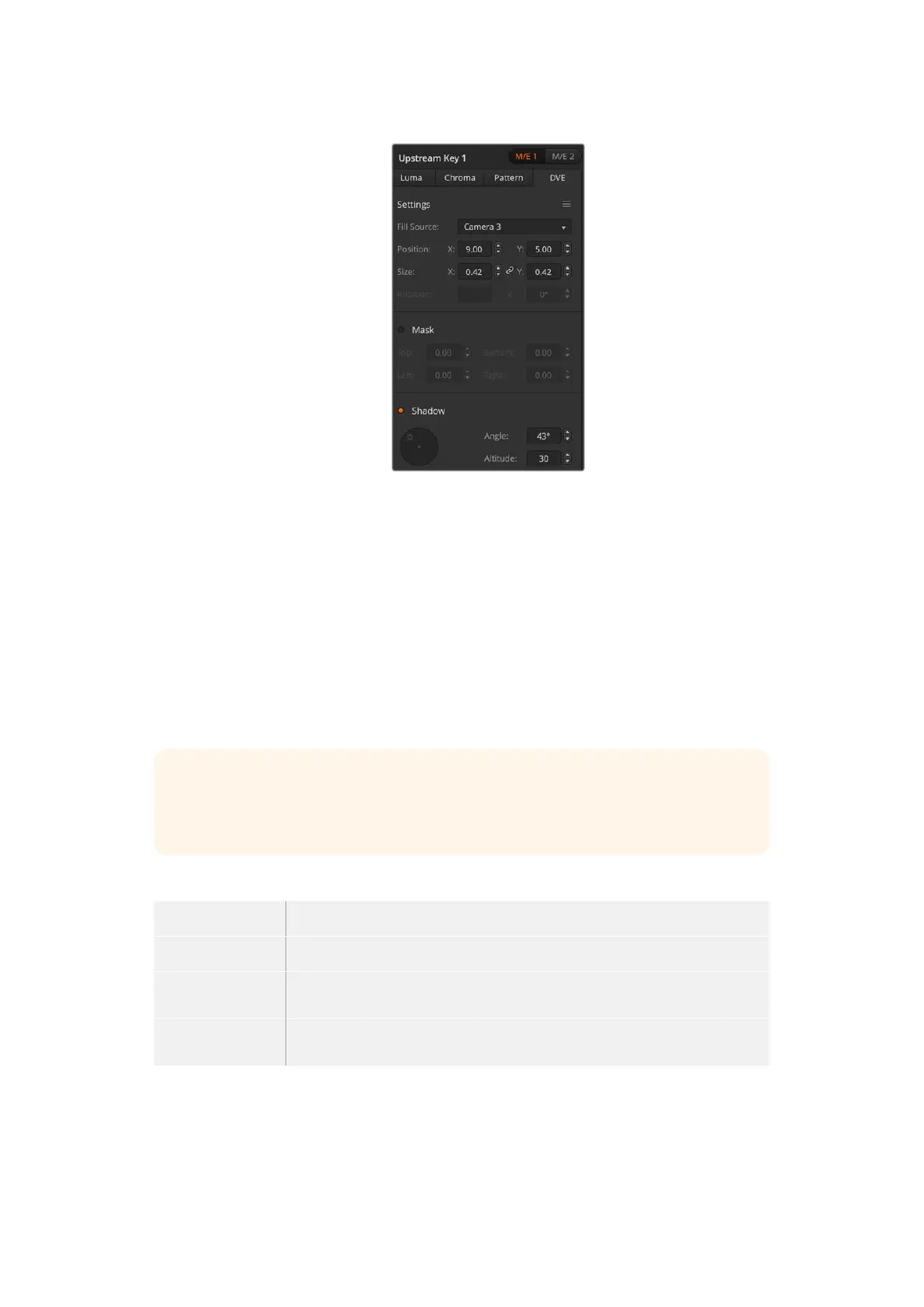
DVE Key Settings
To set up a DVE key on upstream keyer 1 on an ATEM advanced panel:
1 Press the KEY 1 next transition button to enable the keyer on the preview output.
2 In the keyers LCD menu, select the DVE key type using the corresponding soft
control knob.
3 Select the fill source using the corresponding control knob or via the a source button on
the source select bus.
4 Press the system control left and right arrow buttons to navigate through the DVE
parameters and use the soft control knobs to adjust settings, such as rotation, position, size,
mask settings, light source, border and key frames for movement.
TIP When using the number pad to enter numeric values for settings, hold the ‘reset’
button down for several seconds to enable negative values. Hold down again to return
to standard values.
DVE parameters
Fill Source The source for the DVE to be adjusted.
Size X and Y values adjust horizontal and vertical size of the DVE.
Mask Enables a rectangular mask that can then be adjusted using the top, bottom,
leftand right parameters.
Shadow Adjusts the direction of the light source on the DVE or picture in picture. Both
the border and drop shadow, if available, are affected by changes to this setting.
113Keying using ATEM Switchers



 To Next Page