EasyManua.ls Logo

ATEN UEH4102 - User Manual

ATEN UEH4102
29 pages
Print Icon
To Next Page IconTo Next Page
Loading...
UEH4102
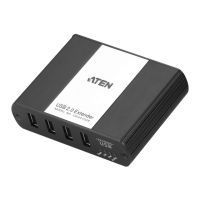
4-Port USB 2.0 Cat 5 Extender over LAN
User Manual
www.aten.com

Questions and Answers

  • M
    Matthew PerryAug 14, 2025
    What to do if all LEDs are on but the USB device isn't working with my ATEN UEH4102?
    • P
      petermcconnellAug 14, 2025
      First, disconnect the UEH4102 from the computer and connect the USB device directly to the computer's USB port. If it still doesn't work, check the device's user documentation. Update your system BIOS, chipset, or USB Host controller drivers from the manufacturer's website. If it works when connected directly, try connecting another device to the UEH4102 and then connect the UEH4102 to the computer. If the second device doesn't work, the UEH4102 may be malfunctioning. If the second device operates properly, the first device may not be compatible with the UEH4102.
  • M
    Mariah SalazarAug 18, 2025
    What to do if the Host LED on my ATEN UEH4102 is blinking?
    • C
      Christopher LewisAug 18, 2025
      The Remote unit might be in suspend mode. This can happen when the computer enters Suspend/Standby or when no USB devices are attached. Try to recover/resume the operating system from Suspend/Standby mode, referring to your operating system’s documentation. Alternatively, attach a USB device to the UEH4102.
  • N
    Nicholas MartinezAug 20, 2025
    Why are the Link LEDs blinking on my ATEN Extender?
    • J
      Joseph WoodAug 21, 2025
      Blinking Link LEDs indicate a connection problem between the local and remote extenders, or that units may not be paired to each other. It's also possible that network switches exist on different subnets or are blocking traffic from the extenders. To resolve this: 1. Ensure both the Local and Remote Extenders are connected together directly or are connected to active network switches. 2. Re-pair the units together. 3. Ensure the network switches can communicate with each other and are on the same subnet. 4. Ensure the network switches are not blocking traffic from the extenders either based on MAC address or due to traffic patterns.
  • D
    danielbennettAug 25, 2025
    How to fix intermittent blinking of Host and LINK LEDs on ATEN Extender?
    • D
      Dr. Adam Castillo DDSAug 25, 2025
      The issue is likely due to a firmware mismatch between the Local and Remote units. Use a different Local/Remote pair which have the same firmware revision.
  • J
    Jennifer HarrisAug 27, 2025
    What to do if USB devices are no longer functioning on ATEN Extender?
    • L
      Larry MoraAug 28, 2025
      An overcurrent condition may have occurred because the USB device is drawing more power than the USB specification allows (500mA). Power cycle the Remote unit to resolve this.
  • G
    gcarrollAug 31, 2025
    Why is the Remote device LED off when a USB device is attached to my ATEN UEH4102 Extender?
    • M
      Melanie GeorgeAug 31, 2025
      The computer operating system needs the appropriate driver installed for the USB device. Install the required USB device driver on the computer operating system before connecting the USB device to the Remote unit. Also, consult your USB device documentation and power your USB device with the additional, USB device manufacturer supplied, power supply (if available).
  • L
    lesterandreaSep 3, 2025
    What does it mean if the Link LED is blinking slowly on my ATEN UEH4102?
    • V
      Vanessa MooreSep 3, 2025
      The extenders are paired but haven't yet established a link. Wait a few minutes for the LEDs to go solid.
  • J
    jeffreymullinsSep 6, 2025
    What to do if all LEDs are off on the remote unit of my ATEN UEH4102 Extender?
    • T
      Thomas SchmidtSep 6, 2025
      The Remote unit isn't receiving power from the AC adapter. Ensure the AC power adapter is properly connected to the Remote unit and to a live electrical power source. Check that the Remote power LED is illuminated.
  • H
    Holly GarciaSep 9, 2025
    Why are all the LEDs off on the local unit of my ATEN UEH4102 Extender?
    • S
      shawjohnSep 10, 2025
      The Local unit isn't getting enough power from the USB port. Make sure the USB connection between the local unit and the host computer is properly installed. Try moving the USB connector to a different USB port on the host computer.

ATEN UEH4102 Specifications

General IconGeneral
BrandATEN
ModelUEH4102
CategoryExtender
LanguageEnglish

Related product manuals