PROGRAMMING
The Leo regulators made by ATERSA have been submitted to various check
controls with equipment gauged by external laboratories ENAC. It is not advisable
to modify the adjustments permitting this menu if the equipment you use is not
enough gauged.
Do not make this adjustment when it is in floating phase (led nº 2 lit), if you try to, the
message 'Err' will appear on the display.
Measure the voltage IN THE REGULATORTERMINALS!!. Later on:
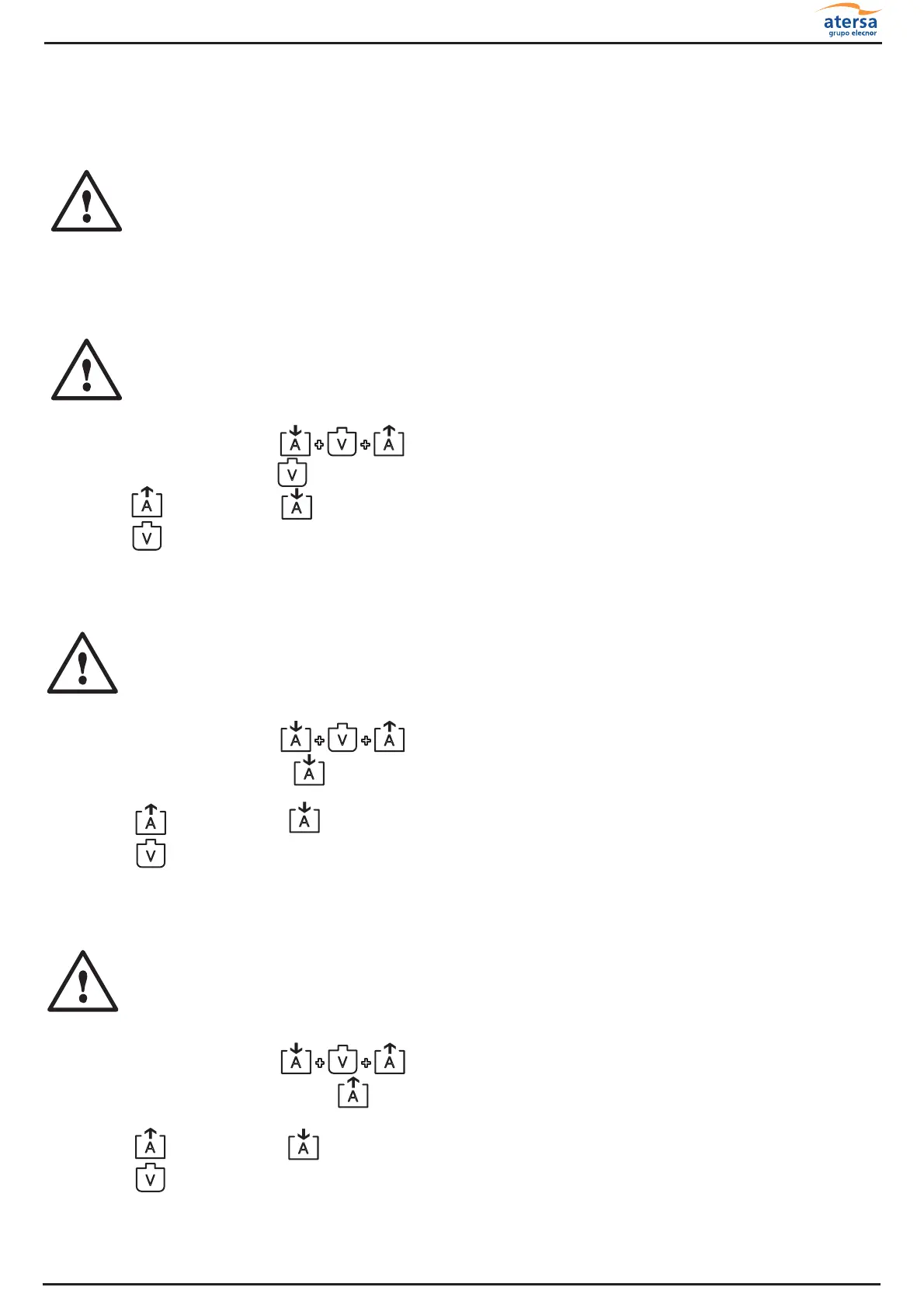
1.Push simultaneously until the message 'ALL' appears on the display.
2.Push battery voltage . The play of the voltage will be maintained on the display.
3.Push to reduce or to increase.
4.Push to accept and record
.
Do not make this adjustment when it is in floating phase (led nº 2 lit), if you try to, the
message 'Err' will appear on the display.
Then, place the ammeter in series in positive line of panels and:
1.Push simultaneously until 'ALL' appears on the display.
2.Push charge intensity . The play of the charge intensity will be maintained on the
display.
3.Push to reduce or to increase.
4.Push to accept and record.
Do not make charges if the connected charges can consume in form of intensity
peaks or when the regulator unplugged the charge for low voltage (led nº 5 lit).
Then, place the ammeter in series in positive line of consumption and:
1.Push simultaneously until 'ALL' appears on the display.
2.Push consumption intensity . The play of consumption intensity will be maintained on
the display.
3.Push to reduce or to increase.
4.Push to accept and record.
Adjustment play Battery Voltage:
Adjustment play Charge Intensity:
Adjustment play Consumption Intensity:
+ +
A
V
A
A
A
A
+ +
A
V
A
V
A
A
V
+ +
A
V
A
A
A
A
V
V
DIGITAL CHARGEREGULATOR LEO1
10
MU-12-L



 To Next Page