
 Need help?
Do you have a question about the ATESS HPS 30 and is the answer not in the manual?
Identifies the intended audience and their required qualifications for installing and operating the product.
Explains the meaning of various symbols used in the manual to highlight important safety and operational information.
Provides essential safety guidelines and warnings for personnel before operating the equipment.
Details safety precautions and requirements specifically related to the installation process of the inverter.
Highlights critical points and restrictions for using the inverter to prevent damage or malfunction.
Describes the ATESS HPS bidirectional battery inverter's function in an energy storage system.
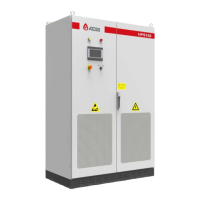
Illustrates the inverter's circuit diagram and the layout of its main external and internal components.
Details various operational modes like grid-connected, off-grid, and their respective statuses.
Explains the EMS mode controlled by a remote system and the off-grid operation mode.
Covers generator mode, physical dimensions, and packing information for the inverter.
Provides instructions and precautions for safely transporting the inverter, including weight and center of gravity considerations.
Outlines procedures for inspecting the inverter upon receipt and guidelines for proper storage.
Specifies the environmental and physical conditions required for safe and optimal inverter installation.
Details requirements for the foundation support and necessary clearance space around the inverter.
Recommends cable trench design and wiring specifications for easy installation and maintenance.
Explains the critical importance of ventilation and specifies requirements for heat dissipation.
Lists the necessary tools and spare parts required for the complete installation of the inverter.
Covers procedures for moving and installing the inverter unit, including package removal.
Details electrical requirements for battery, PV modules, and grid connection, including voltage and frequency limits.
Provides specific instructions for AC and DC side wiring, including cable specifications and earthing procedures.
Describes various communication interfaces like RS485, BMS-CAN, ATS-CAN, and parallel communication.
Explains the wiring requirements for connecting an Automatic Transfer Switch (ATS) and diesel generator.
Details the requirements and wiring for operating multiple HPS units in parallel.
Lists essential inspection items for installation, electrical connections, and general conditions before operation.
Provides a step-by-step guide for safely powering on the inverter for the first time.
Introduces the LCD touch screen interface and its menu structure for viewing information and settings.
Explains how to navigate the LCD interface, access the home page, and view operating status.
Details the interface and procedure for turning the inverter ON and OFF using the LCD or knob.
Describes how to view operational data, power curves, and charge/discharge capacity.
Covers system settings including language, time, device information, and maintenance access.
Details critical protection parameters for grid voltage, frequency, and output limits.
Explains calibration parameters and their modification, emphasizing factory preset values.
Guides users on accessing and interpreting historical fault information for troubleshooting.
Describes the final procedures for completing pilot operation and transitioning to daily maintenance.
Provides analysis and handling steps for common faults encountered during inverter operation.
Details the correct and safe procedure for powering down the inverter.
Outlines regular maintenance tasks, cycles, and safety precautions to ensure system longevity.
Provides guidance on environmentally responsible disposal of the inverter components.
Presents detailed technical specifications and parameters for various HPS models.
Details the product's warranty period and conditions for claiming service.
Specifies the terms and conditions under which the warranty is valid for repairs or replacements.
Lists circumstances under which ATESS is not responsible for warranty service or product failures.
 General
| Model | HPS 30 |
|---|---|
| Category | Power Supply |
| Rated Power | 30kW |
| Output Power | 30kW |
| Cooling Method | Forced Air Cooling |
| Storage Temperature | -40°C to +70°C |
| Protection Features | Over voltage, Over current, Short circuit, Over temperature |
| Communication Interface | CAN, RS485 |
| Relative Humidity | 5% to 95% (non-condensing) |
| Altitude | Up to 2000m |

 To Next Page