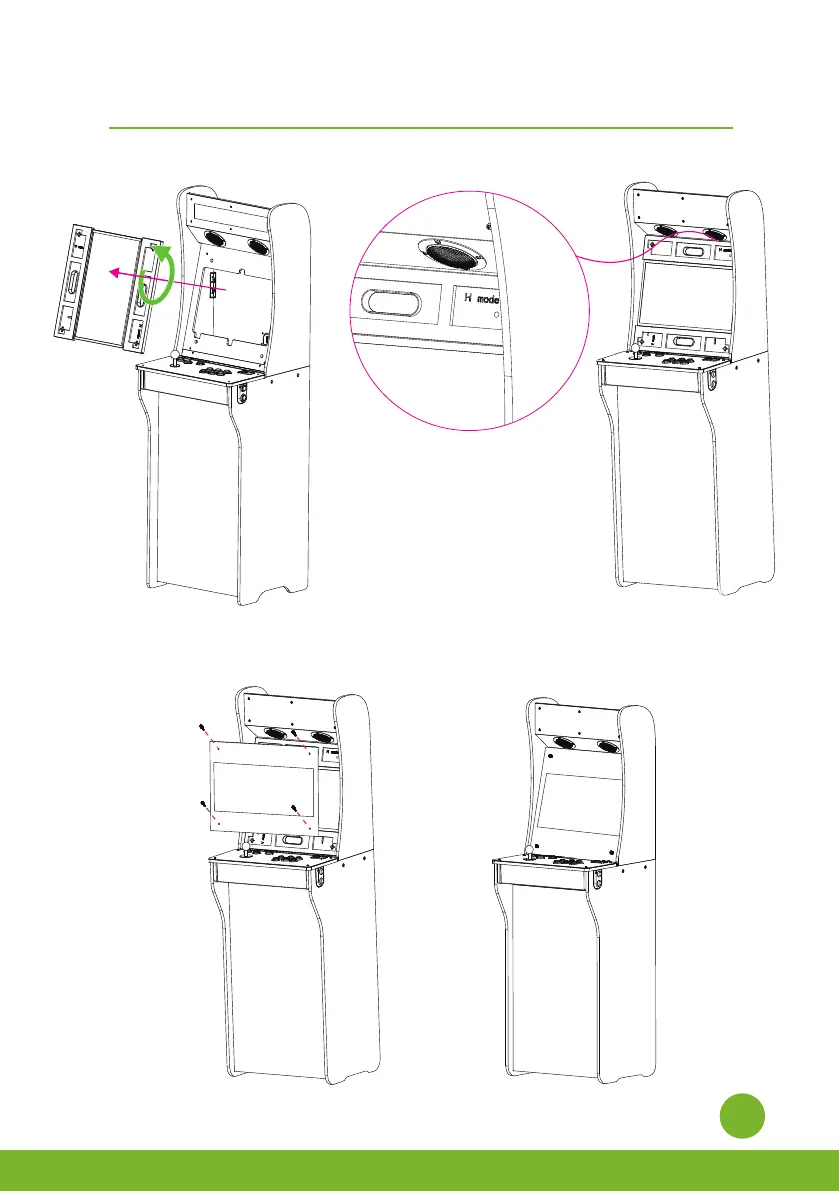
Step 3. Remove the monitor from the machine. Turn the display counterclockwise, then put the
monitor back in the machine.
Étape 3. Retirez l'écran de la machine. Tournez l'écran dans le sens des aiguilles d'une montre, puis
remettez-le dans la machine.
Step 4. Insert 4 thumb screws into the matching holes and tighten.
Étape 4. INSEREZ 4 vis à oreilles dans les trous correspondants et serrez-les.
12
Rotate portrait screen to landscape screen/
Comment utiliser le boulon à came


 To Next Page