13
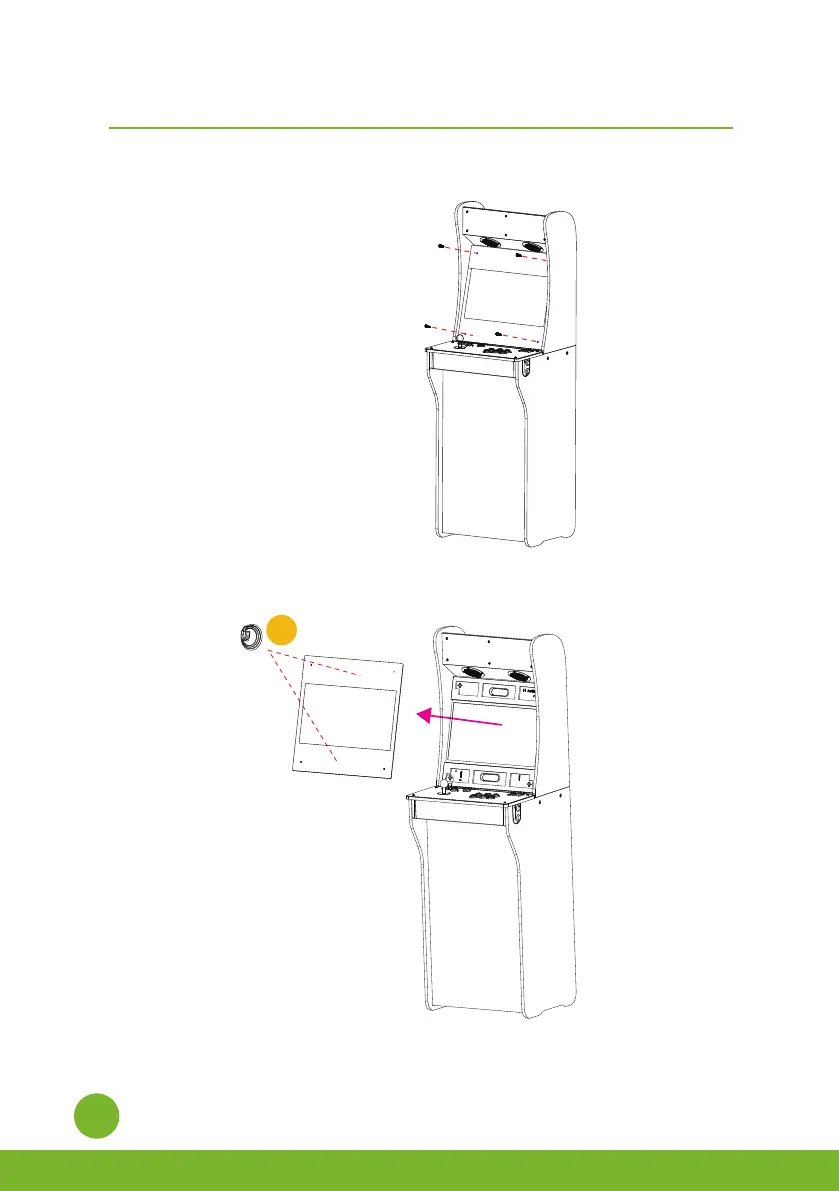
Step 1: Remove the 4 thumb screws from the acrylic panel.
Étape 1
.
Retirez les 4 vis à oreilles du panneau acrylique.
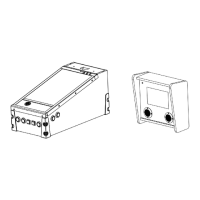
Step 2. Use the suction cup [Q] to remove the acrylic panel.
Étape 2
.
Utilisez la ventouse [Q] pour retirer le panneau acrylique.
Acrylic
Q
Rotate landscape screen to portrait screen/
Comment utiliser le boulon à came
How to rotate the monitor/
Comment faire pivoter l’écran


 To Next Page