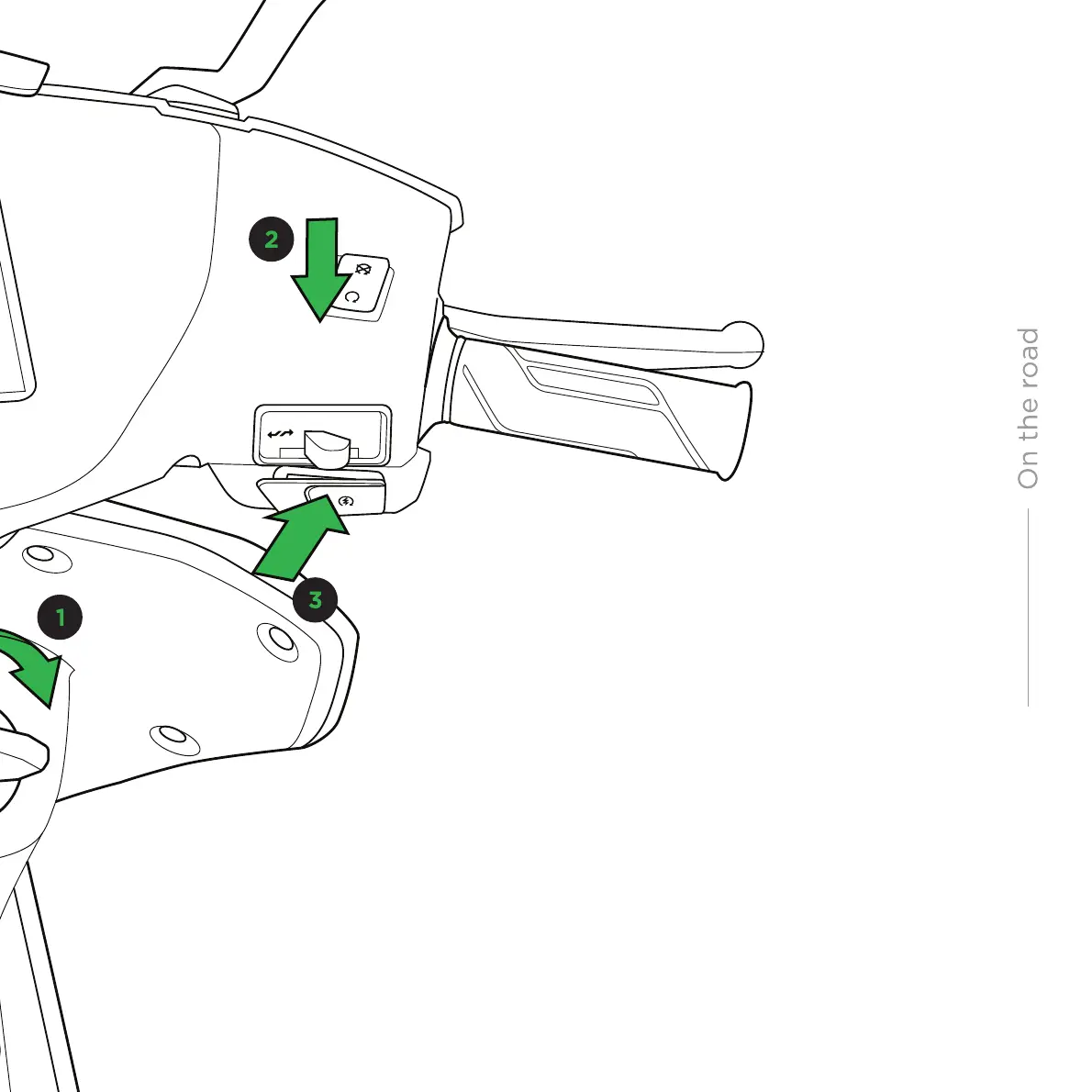
Once the handlebar is unlocked, turn the
key anti-clockwise to open the underseat
storage. Take your helmet out, wear it,
simply drop the seat to lock it. Check the
seat lock once, just to be doubly sure.
Now you are all set for the ride!
Once the key is turned on, it will activate the
touchscreen display, showing the current time,
motor status and available range. You can
choose the ride mode here - Normal or Eco.
SWITCH ON THE DISPLAY
If the kill switch is engaged,
the motor will not switch on.
DISENGAGE THE KILL SWITCH
Press the brake lever (either one) and the motor
start switch on right hand side of handlebar.
‘Motor ON’ notification will flash on the dashboard.
Scooter makes no significant sound when the motor is on
ACTIVATE THE MOTOR
WARNING
28


 To Next Page