Need help?
Do you have a question about the Atheros AR5BHB116 and is the answer not in the manual?
Explains formatting conventions like bold, italic, courier fonts, and special characters used in commands.
Lists the necessary hardware and software specifications for the Atheros 802.11n Adapter.
Introduces the concept of managing wireless network profiles using the Atheros Client Utility.
Steps to remove a wireless network configuration profile from the Atheros Client Utility.
Details how to manage automatic profile selection for connecting to available networks.
Instructions on how to switch between different wireless network configuration profiles.
Guides users on importing and exporting wireless network configuration profiles.
Steps to configure TCP/IP address settings for the wireless network adapter.
Explains settings for Profile Name, Client Name, and Network Names (SSIDs) in the General tab.
Details settings for Transmit Power, Power Save Mode, Network Type, Preamble, and Authentication Mode.
Configuration options for WPA/WPA2 security using EAP or Passphrase.
Details on setting up 802.1x security, requiring IT administration.
How to define, overwrite, and disable static WEP keys for wireless security.
Instructions for configuring EAP-TLS security for wireless network connections.
Steps to configure EAP-TTLS security, including certificate and user name settings.
Details how to configure PEAP (EAP-GTC) security, including certificate and authentication settings.
Instructions for configuring PEAP-MSCHAP V2 security, including certificate and user name settings.
Guides users through configuring LEAP security, including user name, password, and domain settings.
Explains the operation of Windows Zero Configuration service and its interaction with the Atheros Client Utility.
Details the information presented in the Current Status tab of the Atheros Client Utility.
Explains how to access and view adapter information like Card Name, MAC Address, and Driver Version.
Lists receive and transmit diagnostics available in the Diagnostics tab.
How to scan for available infrastructure and ad hoc wireless networks.
Steps for connecting to available networks using the Atheros utility.
How to adjust display settings like signal strength units and refresh interval in the utility.
Describes various tools available in the ACU, such as radio enable/disable and troubleshooting.
Explains the Atheros Client Utility tray icon, its display, and available right-click actions.
Steps to configure profiles for ad hoc mode, including network type and other settings.
How to configure profiles for infrastructure (access point) mode settings.
Provides steps to uninstall previous versions of the Atheros NDIS driver.
Explains security features like Message Integrity Check (MIC), TKIP, and Broadcast Key Rotation.
Details advanced information available in the status screen, including signal, noise, and transmit rates.
FCC compliance information, including exposure and operation conditions.
Statement on FCC radiation exposure limits and operating conditions for the device.
Industry Canada compliance information, including interference and certification details.
Industry Canada statement on radiation exposure limits and operating conditions.
CE mark compliance details and technical standards for the European market.
Radio compliance information specific to Taiwan's DGT regulations.
Information regarding Japan Telecom Certification (JATE) and VCCI standards.
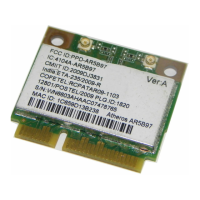
Details the FCC ID label content and its placement location on the device.

 To Next Page
 General