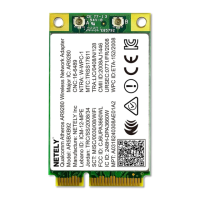
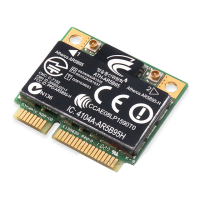
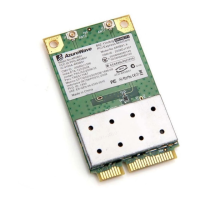
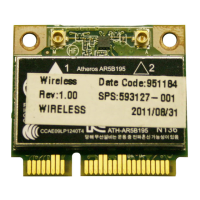
Need help?
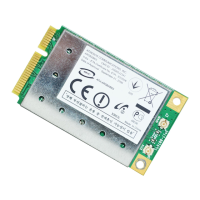
Do you have a question about the Atheros AR5BXB63 and is the answer not in the manual?
Explains formatting conventions like bold, italic, courier, menu items, and symbols used for commands and parameters.
Defines NOTE messages and their purpose, highlighting important points or special cases within the documentation.
Details the process of creating new or modifying existing wireless network configuration profiles using the Atheros Client Utility.
Provides step-by-step instructions to remove an unwanted wireless network configuration profile from the system.
Explains how to configure the adapter to automatically select network profiles based on priority for network connection.
Step-by-step instructions for importing wireless network configuration profiles into the Atheros Client Utility.
Step-by-step instructions for exporting wireless network configuration profiles from the Atheros Client Utility.
Instructions on setting IP address, subnet mask, default gateway, and DNS server for network connectivity.
Describes enabling WPA/WPA2 security using various EAP authentication methods like EAP-FAST, EAP-TLS, and LEAP.
Details how to configure WPA/WPA2 security using a pre-shared passphrase and associated settings.
Covers 802.1x security configuration, which requires IT administration and selection of EAP types.
Explains how to enable and configure Pre-Shared Key (Static WEP) security settings for wireless connections.
Step-by-step guide to define pre-shared encryption keys, including key entry method and WEP key size selection.
Instructions on how to replace or update an existing static WEP key by entering a new key.
Methods for disabling static WEP security for a profile, typically by selecting another security option.
Describes setting up Zero Configuration in Windows XP for automatic wireless network management.
Details on viewing connection status, including active profile, link quality, SSID, and access point information.
Explains MIC's role in preventing tampering and bit-flip attacks on encrypted wireless data packets.
Details TKIP's function in enhancing WEP security by addressing predictability in encryption.
Describes Broadcast Key Rotation for dynamic WEP keys in broadcast transmissions.
Details FCC compliance requirements, including RF exposure, antenna usage, and labeling for the device.
Specifies conditions for FCC ID, antenna separation, and compliance with Part 15 of FCC Rules.
Indicates compliance with essential requirements of EU Directive 1999/5/EC and related technical standards.
 General
| Frequency Band | 2.4 GHz |
|---|---|
| Wireless Data Rates | Up to 54 Mbps |
| Maximum Data Rate | 54 Mbps |
| Security | WEP, WPA, WPA2 |
| Wireless Standard | 802.11b/g |
| Chipset | Atheros |
| Operating Systems Supported | Windows XP, Windows Vista, Windows 7, Linux |

 To Next Page