EasyManua.ls Logo

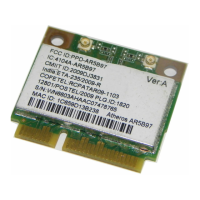
Atheros AR5BHB63 - User Manual

Default Icon
31 pages
Print Icon
To Next Page IconTo Next Page
Loading...
Atheros Communications, Inc. i
COMPANY CONFIDENTIAL March 2009
802.11b/g Adapter
Model AR5BHB63
802.11b/g Adapter
Dec 2007
Question and Answer IconNeed help?

Do you have a question about the Atheros AR5BHB63 and is the answer not in the manual?

Summary

Document Conventions and Notices

Text Formatting Conventions

Explains the use of bold, italic, Courier, and menu item formatting.

Document Notice Types

Describes the meaning of 'NOTE' messages in the document.

Revision History

Introduction to the Adapter

System Requirements for Installation

Wireless Profile Management

Creating and Modifying Wireless Profiles

Guides users through creating and editing wireless network profiles.

Removing Wireless Profiles

Steps to delete existing wireless network configuration profiles.

Automatic Profile Selection

Explains how to configure the adapter to auto-select the best network profile.

Switching Between Wireless Profiles

Instructions on how to switch between different saved wireless profiles.

Importing and Exporting Profiles

Procedures for importing and exporting network configuration profiles.

Configuring TCP;IP Settings

How to configure IP addresses, subnet masks, and gateways for the adapter.

General Profile Configuration Tab

Advanced Profile Configuration Tab

Security Tab Configuration

Configuring EAP-TLS Security

Configuring EAP-TTLS Security

Configuring PEAP (EAP-GTC) Security

Configuring PEAP-MSCHAP V2 Security

Configuring LEAP Security

Pre-Shared Key (WEP) Configuration

Defining Pre-Shared Encryption Keys

How to define and configure WEP encryption keys.

Overwriting Static WEP Keys

Procedure to change or update existing static WEP keys.

Disabling Static WEP Security

Steps to disable static WEP security for a profile.

Configuring WPA Passphrase Security

Windows Zero Configuration

Status and Diagnostics Overview

Current Status Information

Displays general operational information and status of the adapter.

Adapter Information Details

Provides detailed information about the wireless network adapter hardware.

Network Diagnostics Tab

Lists statistics for received and transmitted network frames.

Transmitted Frame Statistics

Received Frame Statistics

Scanning for Available Networks

Connecting to a Wireless Network

Display Settings Configuration

Signal Strength Display Units

Configures whether signal strength is shown in % or dBm.

Display Refresh Interval

Sets the interval for refreshing display information.

Data Display Options

Sets the data display mode to cumulative or relative.

Atheros Client Utility Tools

Tray Icon Functionality

Connection Status Details

Displays detailed connection status, link quality, and SSID.

Ad Hoc Network Mode

Ad Hoc Profile Configuration

Guides profile configuration specifically for ad hoc network mode.

Infrastructure (AP) Network Mode

AP Mode Profile Configuration

Guides profile configuration for infrastructure (access point) mode.

Uninstalling Previous Drivers

Advanced Wireless Security Features

Message Integrity Check (MIC)

Explains MIC's role in preventing packet tampering.

Temporal Key Integrity Protocol (TKIP)

Explains TKIP's role in protecting WEP keys.

Broadcast Key Rotation

Explains dynamic broadcast key rotation for WEP.

Advanced Status Information Details

FCC Regulatory Compliance

Industry Canada (IC) Compliance

European Community (CE) Notice

Taiwan DGT Radio Compliance

Atheros AR5BHB63 Specifications

General IconGeneral
BrandAtheros
ModelAR5BHB63
CategoryAdapter
LanguageEnglish

Related product manuals