EasyManua.ls Logo

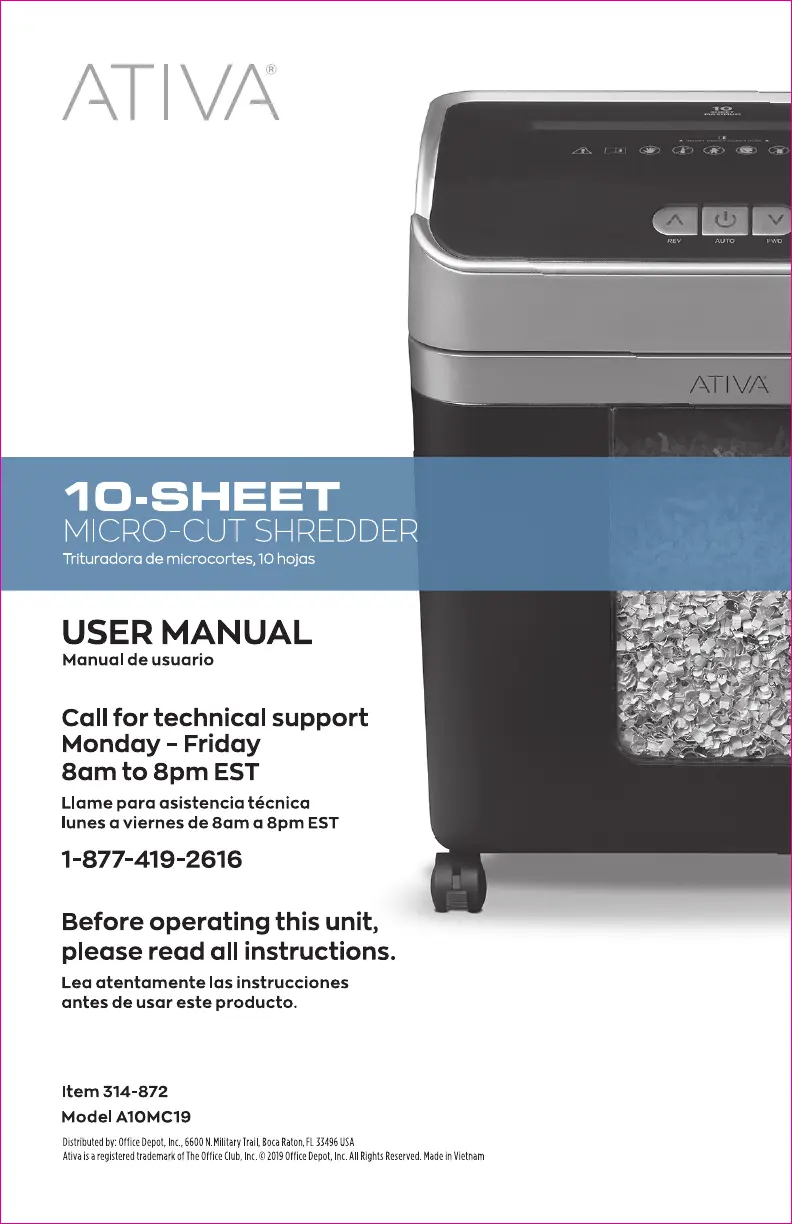
Ativa A10MC19 - User Manual

Ativa A10MC19
14 pages
Print Icon
To Next Page IconTo Next Page
Loading...
version 0919

Questions and Answers

  • B
    Brittany BarnesJul 25, 2025
    How to fix overheat on Ativa Paper Shredder?
    • C
      christopherjonesJul 25, 2025
      If the Overheat icon is lit in Red on your Ativa Paper Shredder, turn the shredder off and allow it to cool down for 50 minutes. After cooling, turn the shredder back on and check the icon light again. Only restart shredding when the icon light is not Red.
  • V
    vegarobinJul 30, 2025
    How to unjam Ativa A10MC19 Paper Shredder?
    • R
      Robert WolfJul 30, 2025
      If your Ativa Paper Shredder is jammed, follow these steps: 1. Press and hold the REV button to release paper, if needed. Pull the paper at a 45-degree angle to remove jammed paper. 2. Turn off the shredder. Apply shredder oil to the feed slot and let it soak into the paper and machine for 30 minutes. 3. Use thick paper stock or a greeting card to push the jam through. 4. Reduce the number of sheets being fed and re-feed the paper.
  • S
    Scott FergusonAug 4, 2025
    What to do if my Ativa A10MC19 is overloaded?
    • M
      mark62Aug 4, 2025
      If the Overload icon is flashing Red on your Ativa Paper Shredder, the motor will stop and start to auto-reverse for paper release. If needed, press the Reverse button to activate reverse mode and then remove the paper at a 45-degree angle.
  • J
    Jason HallAug 9, 2025
    Why is my Ativa A10MC19 Paper Shredder running continuously?
    • H
      Hannah BurgessAug 10, 2025
      Your Ativa Paper Shredder may be running continuously because: 1. The power cord is not properly plugged into a functioning 120V standard household power outlet. 2. The master switch is not turned ON. 3. The bin is open. Ensure that the Blue Power On icon is lit when the shredder is in Auto.
  • L
    laura15Aug 14, 2025
    What to do if the bin full light is on Ativa Paper Shredder?
    • J
      Jacob GarciaAug 14, 2025
      If the Bin Full icon is flashing Blue on your Ativa Paper Shredder, you should empty the bin.
  • Y
    ywebbAug 19, 2025
    How to shred credit card with Ativa A10MC19 Paper Shredder?
    • Q
      qgarciaAug 19, 2025
      To shred a credit card or a small piece of paper with your Ativa Paper Shredder, feed it in the center. Position the credit card or small paper over the credit card section of the feeder (center position) and try again.

Summary

Know Your Ativa Shredder

Product Specifications

Details about sheet capacity, shred size, voltage, duty cycle, and paper entry width.

General Safety Warnings

Lists items not to shred and provides general safety precautions for operation.

Shredder Operation

Shredding Operation Steps

Step-by-step guide on how to plug in, turn on, and use the shredder for paper and credit cards.

LED Status Indicators

Explains the meaning of different LED lights (Power On, Overheat, Bin Full, Overload).

Control Switch Functions

Describes the functions of the Auto, Reverse, and Forward buttons on the control switch.

Overload Feature

Explains how the overload feature works, including auto-reverse for paper release.

Shredder Maintenance

Lubricant Procedure

Instructions on how to maintain the shredder using oil or sheets for lubrication.

Cleaning the Shredder

Steps for dusting and cleaning the shredder body using a dry cloth.

Important Cautions for Maintenance

Warnings against using aerosol products, canned air, liquid cleaners, or water.

Shredder Troubleshooting

No Power to the Shredder

Steps to take if the shredder does not turn on or receive power.

Shredder is Jammed

Detailed steps to resolve paper jams, including oil application and using thick paper.

Shredder Does Not Feed or Shred Paper

Explains issues related to overheating, bin full status, and overload conditions.

Shredder Does Not Feed or Shred Credit Card;Small Paper

Guidance on properly feeding credit cards or small paper items into the shredder.

Shredder Runs Continuously

Instructions to unplug and clean the activation sensor to fix continuous running.

Frequently Asked Questions (FAQ)

Product Registration and Maintenance

Information on product registration, required proof of purchase, and monthly maintenance.

Shredder Capabilities and Lubrication

Details on handling paper clips, staples, and proper lubricants to avoid damage.

Limited Product Warranty

Warranty Coverage and Exclusions

Details the one-year warranty, what it covers, and common exclusions like misuse or accidents.

Claim Process and Limitations

Explains proof of purchase, how claims are fulfilled (merchandise card), and legal limitations.

Service Instructions

Provides contact information and hours for warranty service.

Ativa A10MC19 Specifications

General IconGeneral
BrandAtiva
ModelA10MC19
CategoryPaper Shredder
LanguageEnglish

Related product manuals