3 ENGLISH
OPERATION
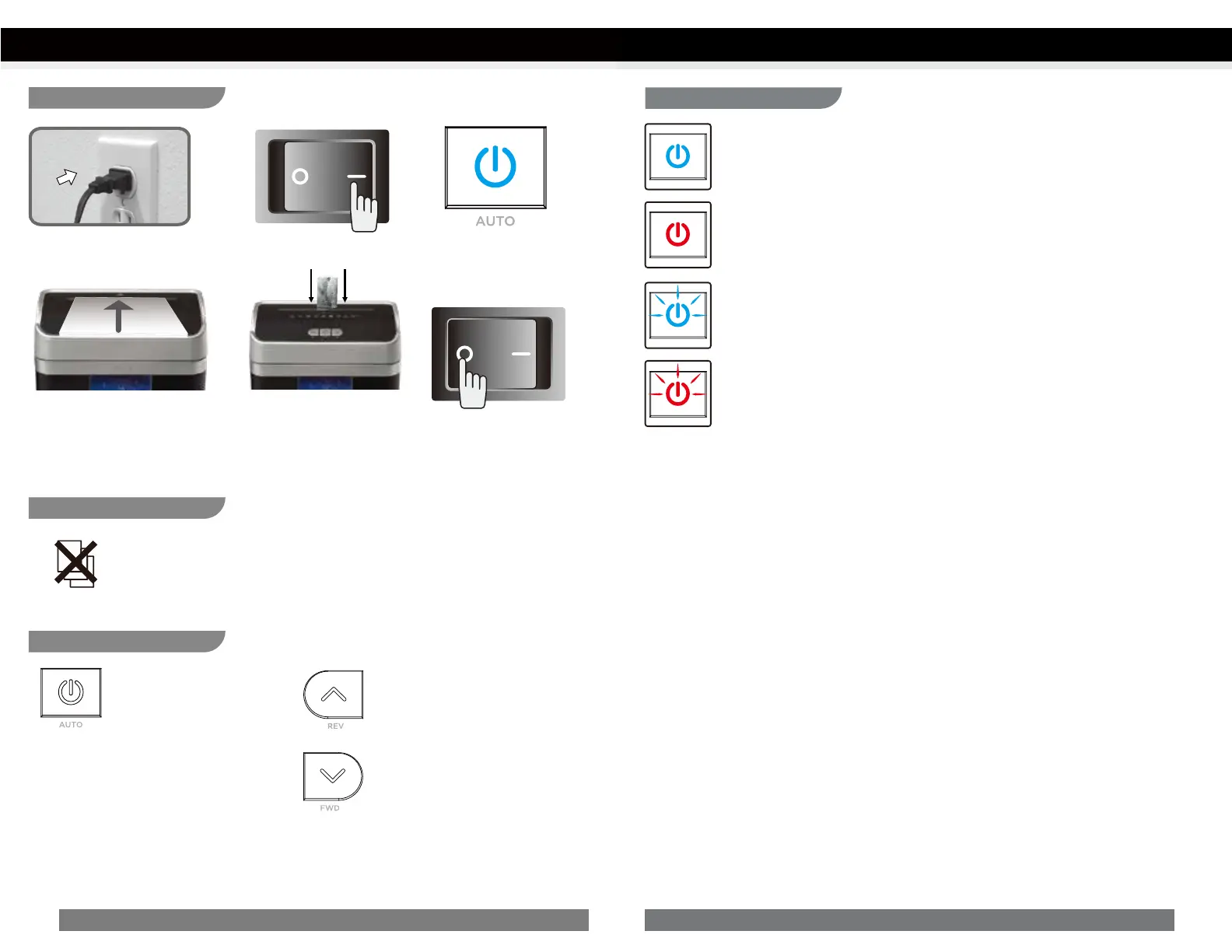
Plug into grounded standard US
household power outlet (120 Volt).
Make sure you do not exceed sheet
count per pass (10 sheets max). Insert
paper as straight as possible into
feed slot and release.
Press Auto button to Power
ON shredder.
Insert one credit card at a time
into the middle of the feed slot.
Shredding operation:
Control Switch:
Power On/Off:
Press this button to control
power ON/OFF.
Reverse:
The shredder runs in reverse when
this button is pressed.
Forward:
The shredder runs in forward when
this button is pressed.
Press master switch to OFF to
Power OFF shredder.
Press master switch on back
of unit to ON to Power ON
shredder.
Special Feature:
Overload feature
The motor will immediately stop and start to auto-reverse for paper release. Press the
Reverse button to reverse mode if needed and remove paper at a 45 degree angle.
Overheat:
Red light – Shredder has reached maximum running time and is overheating.
If this happens, switch the shredder off for 50 minutes or longer before resuming
normal operation.
4ENGLISH
OPERATION
Power On:
Blue light – Power light will activate when switched to Auto mode.
Overload:
Red light flashing – The motor will immediately stop and start to auto-reverse for
paper release. Press the Reverse button to reverse mode if needed and remove paper
at a 45 degree angle.
Bin Full:
Blue light flashing – Shredder bin is full and should be emptied. Shredder will not
operate until bin is emptied.
LED Status Indicators:


 To Next Page