6 ENGLISH
OPERATION
n
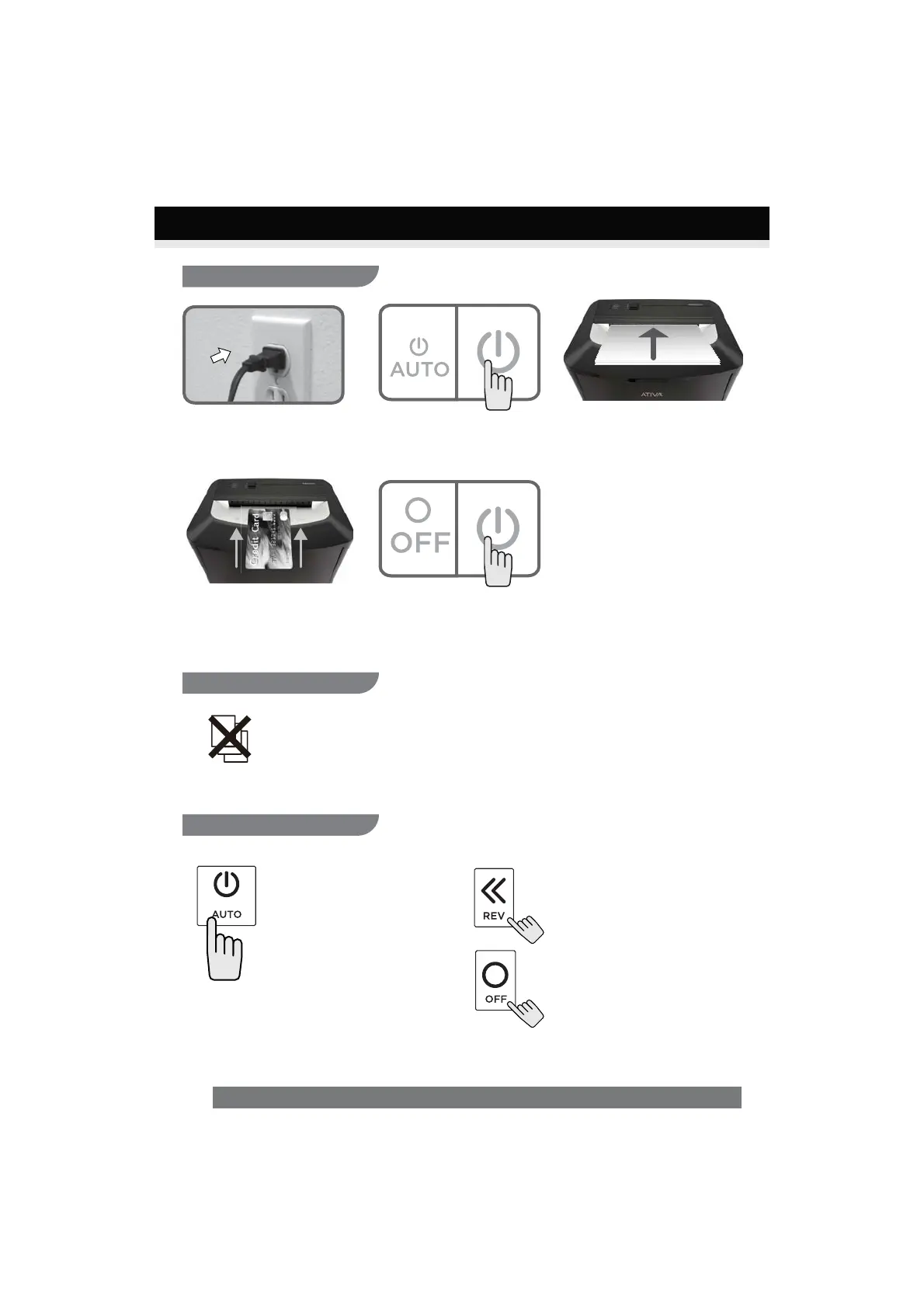
Plug into grounded standard US
household power outlet (120 Volt).
p
Make sure you do not exceed
sheet count per pass (20 sheets
max). Insert paper as
straight as possible into
feed slot and release.
o
Toggle switch to AUTO to Power
ON shredder.
q
Insert one credit card at a time
into the middle of the feed slot.
CONTINUED NEXT PAGE
Shredding operation:
Special Feature:
Control Switch:
Power On:
Toggle switch to AUTO to control
Power ON/OFF.
Not lit – No power.
Reverse:
The shredder runs in reverse when
the switch is in this position.
Power Off:
The shredder will shut off power
when the switch is in this position.
r
Toggle switch to OFF to
power OFF shredder
Overload feature
The motor will immediately stop and start to auto-reverse for paper release. Slide the
power switch to reverse mode if needed and remove paper at a 45 degree angle.


 To Next Page