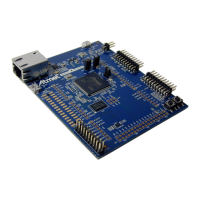
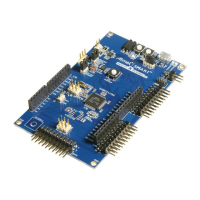
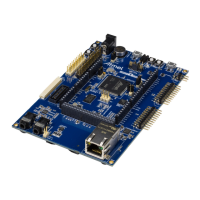
ATmega168 Xplained Mini User Guide [USER GUIDE]
42250A-MCU-02/2014
2
Table of Contents
Introduction .................................................................................... 1
1. Getting Started ........................................................................ 3
1.1. Features .............................................................................. 3
1.2. Design Documentation and Related Links .................................. 3
1.3. Board Assembly .................................................................... 3
1.3.1. In Customer Development Assembly ............................. 3
1.3.2. Connecting an Arduino Shield ..................................... 3
1.3.3. Standalone Node ...................................................... 3
1.4. Connecting the Kit ................................................................. 3
1.4.1. Atmel Studio ............................................................ 3
1.4.2. Connect the ATmega168 UART to the mEBDG COM
Port ........................................................................ 3
1.5. Programming and Debugging .................................................. 3
1.5.1. Programming the Target Using mEDBG ......................... 3
1.5.2. Debugging the Target Using mEDBG ............................ 4
1.5.3. Programming the Target Using an External
Programmer ............................................................. 4
1.5.4. Programming the ATmega32U4 Using an External
Programmer ............................................................. 5
1.5.5. Bootloader ............................................................... 5
1.5.6. How to Install the "Bootloader PC tool" .......................... 6
1.6. Available Example Code ......................................................... 9
2. Hardware User Guide ........................................................... 10
2.1. Board Overview .................................................................. 10
2.2. Clock Distribution ................................................................. 10
2.3. Headers and Connectors ...................................................... 10
2.3.1. JTAG (J100) ........................................................... 10
2.3.2. USB (J101) ............................................................ 11
2.3.3. USART (J102) ........................................................ 11
2.3.4. ATmega168 Digital I/O (J200 and J201) ....................... 11
2.3.5. ATmega168 Analogue I/O (J203) ................................ 12
2.3.6. Power (J202) .......................................................... 12
2.3.7. ATmega168 ISP (J204) ............................................ 12
2.4. Board GUI .......................................................................... 13
2.4.1. LEDs ..................................................................... 13
2.4.2. Button ................................................................... 13
2.5. Factory Programmed Data .................................................... 13
3. Document Revision History ................................................... 14


 To Next Page