the IR illuminator is simply an infra-red light source, and like any light source it may loose its
effectiveness over a great distance.
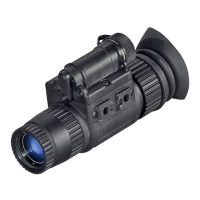
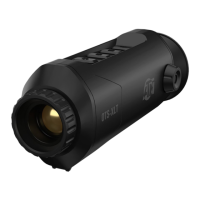
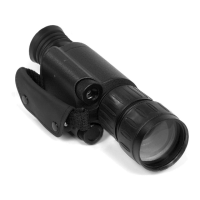
The MO2-1 IR illuminator is the ATN100M and is located near the battery compartment. You
may need a different field of IR beam coverage. If so the beam is focusable. By turning the lens
of the IR you can change the beam width slightly.
NOTE: The IR automatically turn off when the unit’s main power switch is turned off.
FOCUSING
• Observe the scene and adjust the diopter for optimal image clarity. Focus the front lens until
the image and the grain become both sharp.
• You may now enter a dark environment or simply shut the lights off in order to darken the
room.
• Next, remove the lens cap/daylight filter. Adjust the front lens for distance of the focus. You
should not have to readjust the diopter.
NOTE: We suggest that you focus the diopter during daylight with the protective lens cover on.
• You may now enter a dark environment or simply shut the lights off in order to darken the
room.
• Next, remove the lens cap/daylight filter. Adjust front lens for distance of the focus. You
should not have to readjust the diopter.
NOTE: The front lens should be readjusted as you view objects at different distances.
p r e p a r a t i o n f o r o p e r a t i o n
Before getting started make sure to follow these steps:
• Take the monocular out of the case.
• Install the battery into the housing with the polarity order shown at imprint on the body. Bat-
tery type: 3 Volt Lithium CR123A.
• Switch on the monocular with the protective lens cover still attached to the lens.
• Make sure that the green luminance of the light intensifier tube is present.
• If the device is not to be used for extended period of time (more than 10 days) remove the
battery.
• Avoid touching lenses. If fingerprints or traces of dirt or dust appear, clean surface with a sof t
dust cloth and glass cleaner.
• Keep lens cap /protective lens cover on when not in use.
• Avoid contact with dust, steam, and gas.
• The MO2-1 is not harmful to the user or the environment.
• Do not disassemble except to clean the front lens and the eyepiece: it will void your war-
ranty.
• Evaluate the scopes function by looking through it in a lit environment with the daylight filter
lens cap on. Never use in daylight without the daylight filter lens cap on.
c a m e r a a d a p t e r
To use your MO2-1 scope with a 35-mm camera or camcorder you will need the following:
1) If you plan to use a camcorder, then your camcorder must have a MACRO feature. Most
modern camcorders today have a MACRO feature built-in.
2) If you plan to use a 35-mm camera you will need a MACRO lens. If you don’t have one we
advise that you contact your local camera store.


 To Next Page