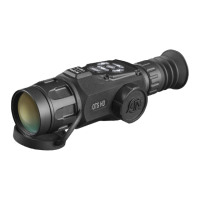
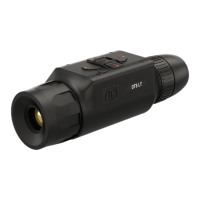
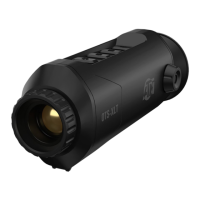
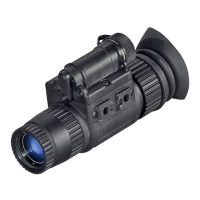
The ATN OTS 4T Series is a thermal smart HD monocular designed to provide users with an advanced technological experience in thermal imaging. This device offers a superior value by combining ATN SMART HD features with an improved thermal imaging sensor, exceeding typical expectations for thermal monoculars.
Function Description
The primary function of the ATN OTS 4T is to provide thermal imaging, allowing users to detect heat signatures in various environments, even in deep cover or concealed by fog. This makes it an essential tool for spotting, recovery, hog hunts, and stalking efforts, offering enhanced adaptability in the field.
Key features contributing to its functionality include:
- Ultra Sensitive Next Gen Sensor: Provides sharp and clear thermal images, capable of detecting even the smallest animals.
- Video Record: Allows users to record videos directly to a microSD card.
- Smart Range Finder: Enables estimation of the distance to a target, provided the user has reasonable knowledge of the target's size.
- E-Compass: Displays yaw angle based on e-Magnetometer data, aiding in navigation and orientation.
- Dual Core Processor: Ensures efficient performance and processing of thermal data.
- Share on Social Media: Facilitates sharing recorded videos and photos with friends, family, or on social media platforms.
- Ultra Low Power Consumption: Contributes to extended battery life.
The device operates with a user-friendly interface, featuring a Homescreen that displays Scales (E-Compass, Roll, Pitch), Status Bar icons (Battery, SD Card, Bluetooth, Wi-Fi), and various Information Widgets (Range, Zoom). These widgets can be customized or disabled from the System Settings.
Usage Features
The ATN OTS 4T is designed for ease of use with an ergonomic design and a simple control keypad that can be manipulated with one hand.
Device Preparation and Basic Operations:
- Unpacking: Upon receiving the device, users should unpack it, check for all included contents (eyecup, monocular cover, USB-C cable, manual, cloth), inspect for any damage, and ensure optical surfaces are clean.
- Charging: The monocular is equipped with a USB (Type C) port and an internal Lithium Ion Battery. It should be charged using a 2A USB wall charger for approximately 6 hours to achieve 16 hours of run time.
- MicroSD Card and USB Ports: The device supports microSD cards (Class 10 or faster, 4 to 64 GB HC type) for storing photos and videos. Users must ensure the device is turned off before inserting a formatted microSD card.
- Firmware Update: It is crucial to update the firmware to the latest version for optimal performance. Firmware updates are downloaded to a microSD card, inserted into the monocular, and initiated through the device's menu. A factory reset is recommended after a firmware update.
- ON/OFF: The device is turned ON by pressing and holding the POWER button until the ATN splash screen appears. To turn OFF, hold the POWER button until the "Shut down the device?" dialog appears, then select "Yes." A 15-second press and hold of the Power button can reboot a frozen device.
- Keypad and Scroll Wheel: The keypad supports short taps for menu navigation and functions, and press-and-hold actions for ON/OFF or shortcut menus. The scroll wheel is used for magnifying targets from the Homescreen.
- Focusing: Diopter adjustment is achieved by rotating the Diopter Adjustment Ring to achieve optimal sharpness for the user's vision. The focus adjustment ring on the objective lens is rotated to achieve proper focus at various distances.
- Mounting on a Tripod: The OTS 4T is tripod mountable with a 1/4" thread mount.
- Compass Calibration: If the compass displays "CAL," the device needs calibration by rotating it on three axes. For best results, the OTS 4T should be held parallel to the ground after calibration.
Advanced Functions:
- Shortcut Carousel: Accessed via the OK button from the Homescreen, this carousel provides quick access to features like System Settings, Range Finder, WiFi, Gallery, NUC, and Contrast.
- Zoom Level: The scroll wheel on the left side of the monocular controls zoom IN and OUT, with the zoom level displayed on the Homescreen widget.
- Taking Photos: A single press of the LEFT button takes a photo, which is stored on the microSD card.
- Video Recording: Pressing the RIGHT button initiates video recording, and pressing it again stops the recording. Videos are stored on the microSD card.
- NUC (Non-Uniformity Compensation): This function improves image quality degraded by environmental factors. It can be performed automatically at predefined intervals or manually via a shortcut.
- Pixel Correction Procedure: This feature corrects "neutral" pixels that appear static (white or black) in the FOV. It involves navigating to the Pixel Correction subcategory in System Settings, positioning a targeting reticle over the neutral pixel, zooming in for precision, and saving the correction.
System Settings:
The System Settings menu, accessed through the Shortcut Carousel, allows users to customize various aspects of the device:
- Thermal: Adjusts contrast, thermal sensitivity, metering mode (Center or Matrix), Auto NUC, Power Button NUC, color palettes, and pixel correction.
- Photo/Video: Configures photo mode (single capture), microphone (ON/OFF), and allows formatting of the SD card.
- Display: Adjusts screen brightness, display widgets (Minimal/Extended), sleep mode, and language.
- Profiles/Zero: Manages units (Metric or Standard), date and time settings (clock source, format, date, time, time zone), WiFi and Bluetooth settings (remote controller pairing, ABL rangefinder pairing, ABL mode, WiFi info), device type (lens type), zoom settings (Standard, Extended), and allows for factory reset.
- Firmware Version: Displays the current firmware version.
BIX Technology (Smart Accessories):
- ABL Pairing: Allows connection to an ATN Auxiliary Ballistic Laser (ABL) Rangefinder via Bluetooth. The pairing process involves selecting ABL Pairing in System Settings, ensuring the ABL is powered on, and confirming the connection. Zeroing the ABL reticle involves aligning it with a visible red laser.
- X-TRAC Pairing: Enables connection to an X-Trac remote control via Bluetooth for remote operation.
Mobile Applications:
The ATN Obsidian 4 app (available on iOS and Android) allows users to control the device, view a live streaming feed, and access the gallery of recorded photos and videos from their smartphone or tablet. Connection is established via WiFi, with "atnsmarthd" as the default password.
Maintenance Features
- General Care: Always turn off the device when not in use. Keep it in its protective cover. Avoid contact with dust, steam, and gas.
- Handling: The monocular is a precision electro-optical instrument and must be handled carefully. Do not scratch or touch the external lens surfaces.
- Troubleshooting: If the device freezes, press and hold the Power button for 15 seconds to reboot. If accessories are missing or broken, contact ATN's Customer Service.
- Firmware Updates: Regularly check for and install new firmware versions to benefit from new features, functions, and improvements. Registering the product on the ATN website ensures email notifications for updates.
- Pixel Correction: The pixel correction procedure is a maintenance feature to address non-responsive pixels, ensuring optimal image quality.
- Warranty: The product comes with a 3-year warranty covering manufacturing defects. Users must register their product to validate the warranty. For service, contact ATN's service department to obtain a Return Merchandise Authorization (RMA) number before sending the product for repair.
Safety Precautions:
- Do not disassemble, drop, open, crush, bend, deform, puncture, shred, microwave, incinerate, paint, or insert foreign objects into the device, as this will void the warranty.
- This product contains natural rubber latex, which may cause allergic reactions.
- Failure to follow safety instructions can result in damage to the device.

 Need help?
 General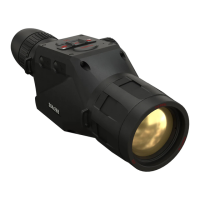

 To Next Page