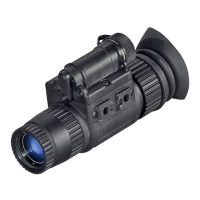
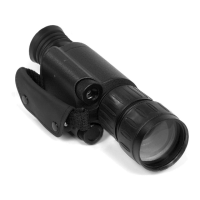
First you will need to remove the eyepiece. To do that you will initially need to loosen the 2
set screws that can be found on the base. Then unscrew the eyepiece counter-clockwise to
remove it.
NOTE: You do not have to remove the set screws completely, they are very small and it is very
easy to misplace them.
CAUTION: Use only Photographic lens cleaning tissue for lens surfaces. Be careful not to
scratch or smudge any of these surfaces. When using compressed air to blow dust away, make
sure to avoid inverting the can while spraying. This can cause frozen propellant to exit the can,
which can cause serious problems with the glass and phosphor screen.
w a r n i n g s a n d c a u t i o n s
• Always remember to turn off the Night Storm when it is not in use. If you do not plan on using
your aries scope for a period of more than 10 days, you should remove the batteries.
• Keep lens cap /daylight filter on when not in use.
• Avoid contact with dust, steam, and gas.
• The Night Storm is not harmful to the user or the environment.
• Do not disassemble except to clean the front lens and the eyepiece: it will void your
warranty.
• Evaluate the scopes function by looking through it in a lit environment with the protective lens
cover on. Never use in daylight without the daylight filter lens cap on. Do not surpass ten
minutes of testing.
• Never point the Night Storm at a bright light source. If the scope shuts off automatically
after directing it at a bright light source, turn the unit off and wait 1 - 2 minutes before turning
the unit back on.
• Adverse atmospheric conditions such as fog, smog, or haze and a lack of ambient light
(moon or starlight) may diminish the effective viewing distance. All technical data for this unit
was compiled in a controlled environment.
• If you use the rubber eyecaps for a long period of time, you may suffer skin inflammation. If
you develop any symptoms, consult a doctor immediately.
t r o u b l e s h o o t i n g
Q: Flashes, flickers, or clicking occur while operating.
S: If it occurs within the first five minutes of inserting new batteries, it is normal and the device
will resume normal operation soon thereafter. If it occurs for more than 10 minutes, contact your
dealer or other authorized representative for instructions.
Q: Dark spots on screen.
S: These are cosmetic blemishes in the intensifier tube or dust particles accumulated on the
screen. Just like a TV, night vision intensifier tubes attract dust particles. These are easily
cleaned using photo-type cleaning equipment.
Q: Image not clear.
S: Adjust front lens at night. If problem persists, turn on IR.
Q: Fixed-pattern noise in a honeycomb shape.
S: Usually a cosmetic blemish characterized by a faint honeycomb-type pattern. It usually
occurs when viewing very bright lights. Adjust the brightness of the unit to reduce noise.
Q: LED’s keep turning off after a few moments.
S: This is the normal mode of operation. It will increase your scope batteries life and make you
harder to detect


 To Next Page